Don't Let People Steal Your Photos: The Ultimate Free Watermarking Guide

Don't Let People Steal Your Photos: The Ultimate Free Watermarking Guide
Right now, somewhere on the internet, someone is using your photos without your permission.
Not hypothetically. Not occasionally. Constantly.
Image theft online is not a rare crime committed by sophisticated hackers. It is a mundane, everyday activity performed by bloggers who need a header image, competitors who want your product shots, scammers who need property photos for fake listings, and social media accounts that aggregate content without attribution. The barrier is zero — right-click, save, done.
If you have ever shared a photo online without a watermark, that photo has almost certainly been downloaded by someone who had no intention of crediting you, paying you, or linking back to your work. The question is not whether your photos get stolen. The question is whether they carry your identity when they do.
A watermark does not make your photos unstealable. Nothing does. But it does three powerful things: it deters casual theft, it establishes your ownership publicly and legally, and it turns every unauthorized share of your photo into a passive advertisement for your brand. Your stolen photo becomes a billboard.
This ultimate guide covers everything — why photo theft happens, how watermarks actually protect you, every type of watermark explained, the exact settings that make watermarks look professional rather than amateurish, and a complete step-by-step guide to the free Picditt Watermark Tool that has protected over 2.1 million images with complete privacy.

The Scale of Online Photo Theft Nobody Talks About
How Common Is It Really?
The scale of online image theft is genuinely staggering. Consider the mechanisms that make it inevitable:
Every major social media platform allows users to download or screenshot any image they can see. Right-click saving is a fundamental browser function that cannot be disabled. Screenshot tools are built into every operating system and mobile device. AI tools can now remove visible watermarks with varying degrees of success. Reverse image search makes finding copies of your photos effortless.
Given these mechanisms, any photo shared publicly online will be downloaded by someone. The question is purely one of intent — and on the internet, every variety of intent exists simultaneously.
Who Steals Photos and Why
Understanding who takes your photos without permission helps you understand what watermarks actually deter:
Bloggers and content marketers need images constantly. Many download freely available photos without checking licensing because it is faster and cheaper than sourcing properly. A visible watermark signals "this is owned" clearly enough to make them look elsewhere.
Competitor businesses regularly download product photos, portfolio images, and marketing materials from competitors. A watermark with your business name and URL makes competitor theft counterproductive — they would be advertising you.
Social media aggregators run accounts that collect and repost images in specific niches — travel, food, fitness, home decor. Most operate without permission. A watermark ensures every repost credits you.
Rental and marketplace scammers download property, product, and lifestyle photos to create fraudulent listings. A clearly branded watermark makes photos significantly less useful for fraud because the brand identity contradicts the fake listing.
AI training scrapers collect images at scale for AI model training. While a watermark does not prevent scraping, it does embed your identity in any outputs generated from your image.
The Cost of Unprotected Photos
For photographers, artists, and businesses, the financial cost of unprotected image use compounds over time:
- Lost licensing fees when photos are used commercially without payment
- Lost client referrals when portfolio images circulate without attribution
- Lost brand impressions when viral content carries no identifier
- Legal costs when pursuing infringement without clear ownership evidence
- Replacement photography costs when stolen photos create brand confusion
None of these costs are hypothetical — they affect creators and businesses daily.

How Watermarks Actually Protect You
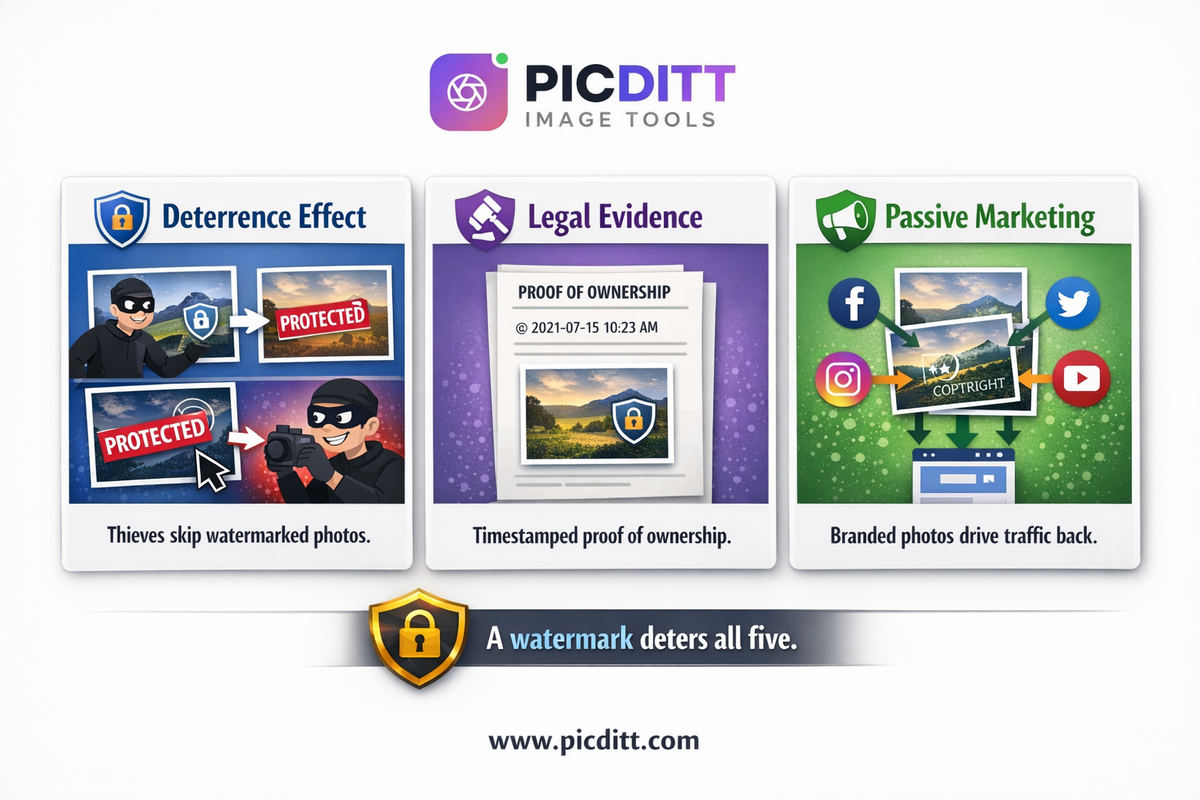
The Deterrence Effect
The primary protective function of a watermark is deterrence — discouraging theft before it happens. This works through a simple psychological mechanism: when someone considering downloading your photo sees a watermark, they must decide whether removing or working around it is worth the effort.
For the vast majority of opportunistic downloaders, the answer is no. Bloggers move to the next image in their search results. Competitors find a different photo to copy. Aggregators skip to an unbranded post. The watermark does not need to be impenetrable — it just needs to create enough friction to make your photo less attractive than an unprotected alternative.
Studies of content protection measures consistently show that deterrence-based approaches are highly effective against opportunistic behavior even when they provide no absolute barrier. The goal is not to make theft impossible but to make your photos a less attractive target than unprotected alternatives.
Legal Evidence of Ownership
A consistent watermarking practice creates a documented record of your ownership claim. When photos appear in your published work with your watermark applied, you have timestamped evidence that you were using the image with your identity attached before any alleged infringement occurred.
This evidence becomes valuable if you ever need to:
- Send a DMCA takedown notice to a website using your photo without permission
- File a copyright infringement claim
- Negotiate a retroactive licensing fee with an unauthorized user
- Dispute ownership with someone claiming your work as theirs
While a watermark is not a substitute for proper copyright registration — which provides the strongest legal protection — it significantly strengthens your practical position in any dispute by demonstrating consistent, public assertion of ownership.
Passive Brand Marketing
Every unauthorized share of a watermarked photo drives traffic and recognition back to you. This reframes photo theft from pure loss into a complicated situation where even unauthorized use generates some value.
A blogger who embeds your watermarked photo without credit inadvertently displays your website URL or brand name to their entire readership. A social media account that reposts your watermarked content introduces your brand to their followers. Someone who screenshots your watermarked photo to share in a private group carries your identity into that conversation.
This passive marketing function means that watermarking your photos converts the inevitability of online image sharing from a pure cost into something with a measurable upside.
Every Type of Watermark Explained
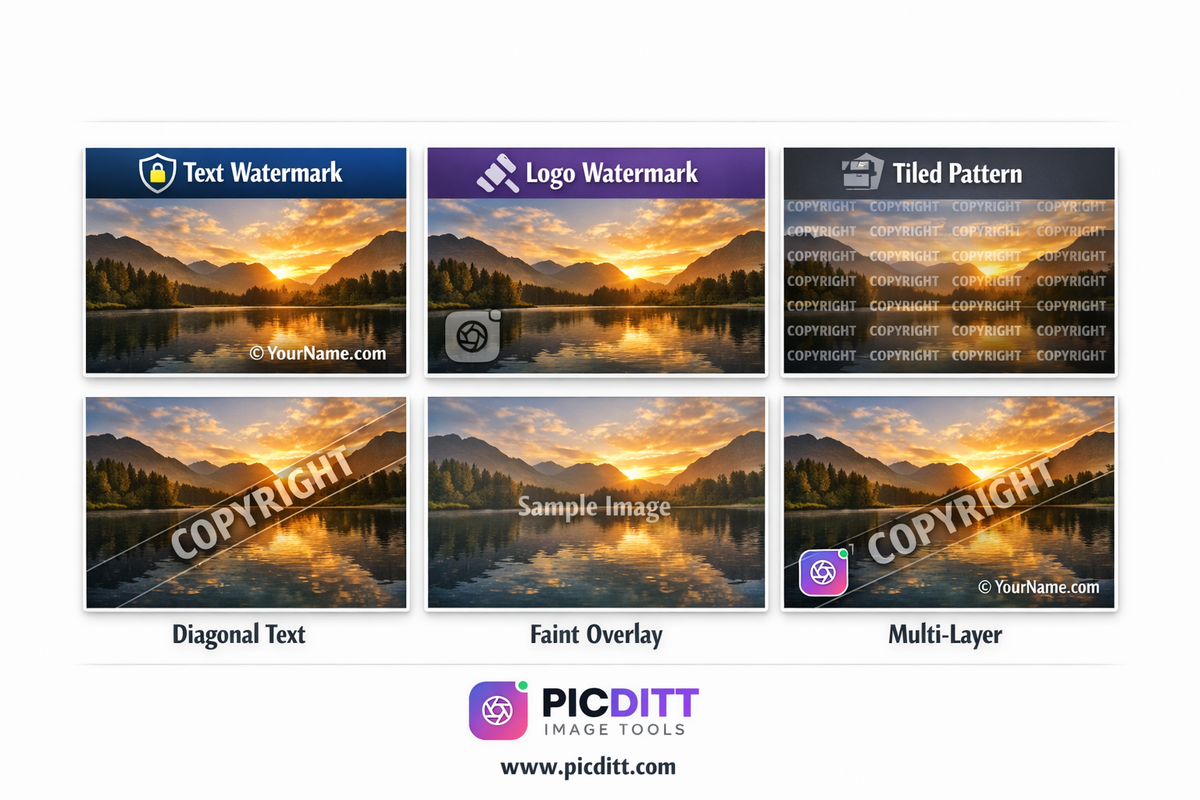
The Picditt Watermark Tool supports six distinct watermark types. Understanding what each one does and when to use it is the foundation of an effective protection strategy.
Text Watermarks
The most versatile and widely used watermark type. Text watermarks can contain any written content — your name, business name, website URL, copyright notice, social media handle, phone number, or any combination.
What to write:
Text Content
Best For
Example
Copyright notice
Legal protection, professional work
© 2025 Your Name
Website URL
Traffic generation, universal attribution
YourBrand.com
Business name
Brand recognition
Your Photography Studio
Social handle
Social media follower growth
@yourhandle
Combined
Maximum effectiveness
© YourBrand.com 2025
Font selection matters:
The Picditt tool offers 8 professional fonts. Clean sans-serif fonts communicate modern professionalism. Serif fonts suggest established authority. Your font should match your brand identity — a luxury photography studio and a casual lifestyle blogger should make very different font choices.
Logo Watermarks
Upload your brand logo as an image file (PNG with transparent background recommended) and overlay it on your photos. Logo watermarks are more visually sophisticated than text and build stronger brand recognition because they use your established visual identity.
Logo watermark best practices:
- Always use a PNG with a transparent background — a white rectangle around your logo looks amateurish
- Use the white version of your logo for most photos — it shows up on varied backgrounds without competing with image colors
- Size to 8–12% of image width — recognizable without dominating
Tiled Pattern Watermarks
Repeat your watermark — text or logo — across the entire image surface in a grid pattern. The Picditt tool supports 2×2, 3×3, 4×4, 5×5, and diagonal tiling.
Tiled patterns provide dramatically stronger protection than single-placement watermarks. Removing a single-corner watermark requires one clean crop. Removing a tiled pattern requires cloning-stamping or AI inpainting over dozens of instances, each of which degrades the photo quality and creates visible artifacts.
When to use tiles:
- Client proof photos before payment
- High-value images with significant theft risk
- Any image where theft would cause meaningful financial or reputational harm
Diagonal Watermarks
Rotate your text or logo to a 30–45 degree angle across the image. Diagonal watermarks are harder to remove than horizontal ones because they cross multiple image layers at a non-standard angle and don't align with the natural horizontal/vertical structure of editing tools.
Diagonal watermarks also cover more of the image surface than corner placement while maintaining a cleaner, more intentional appearance than a full tile pattern. They are the professional sweet spot between protection and aesthetics for most everyday use cases.
Transparent Overlays
Any watermark with reduced opacity becomes a transparent overlay. The key skill in watermarking is choosing the right opacity for the right context:
- Portfolio photos: 20–30% — barely there but consistently present
- Social media: 30–40% — visible enough to notice
- Standard listings: 30–50% — clear attribution without distraction
- Client proofs: 60–80% — prominent enough to deter use before purchase
- Maximum protection: 80–100% — for the highest-risk situations
Multi-Layer Protection
Combine multiple watermark types on a single image — a logo in one corner, copyright text in another, and a faint diagonal URL across the center. Each layer provides a different type of protection and serves a different function. The tool supports unlimited simultaneous watermark layers with independent controls for each.
The Picditt Watermark Tool: Complete Overview
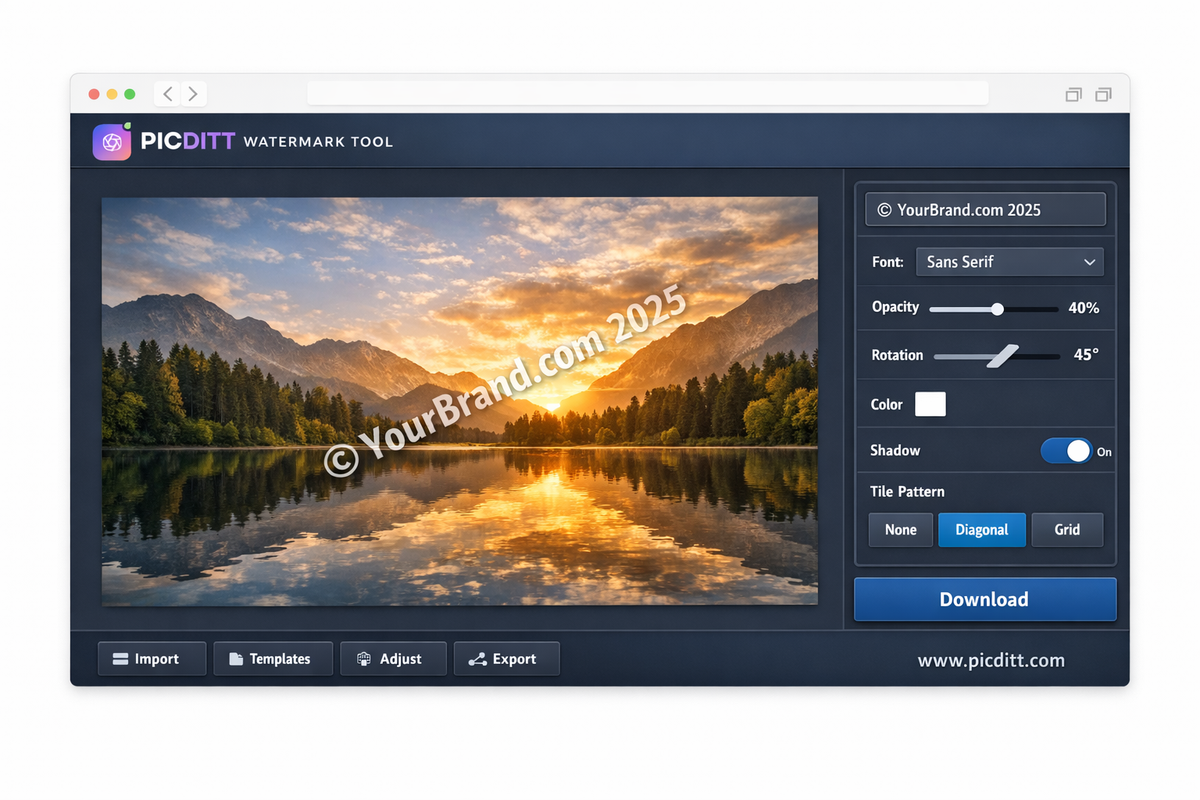
The Picditt Watermark Tool is the free, browser-based solution that has protected over 2.1 million images. Here is everything it offers.
Why 100% Private Processing Matters
Most online watermark tools work by uploading your photos to their servers for processing. This creates a significant privacy problem — your photos, which may contain sensitive subjects, valuable unpublished work, or client-owned content, leave your device and exist on a stranger's server for some period of time.
The Picditt tool operates entirely differently. All processing — watermark generation, positioning, opacity calculation, final rendering — happens within your browser using client-side JavaScript. Your photos load into your browser's local memory and never travel anywhere. The download goes directly from your browser to your storage.
This approach is faster (no upload wait time), more private (zero data transmission), and works offline after the page loads.
Complete Feature Set
8 Professional Fonts
A curated selection of professional typefaces covering sans-serif, serif, and display styles. Each font communicates a different brand personality.
Custom Colors
16 preset colors for quick selection plus a full custom color picker for exact brand color matching. Enter hex codes directly to match your brand guidelines precisely.
Adjustable Opacity
5% to 100% transparency in granular increments. The ability to fine-tune opacity is what separates professional-looking watermarks from amateurish ones.
Full Rotation
-180° to +180° rotation for any angle. The classic 30–45 degree diagonal is one rotation adjustment away.
Tile Patterns
Single placement through 5×5 grid, plus diagonal tiling. The diagonal tile pattern provides the strongest available protection.
Drop Shadows and Outlines
Optional effects that ensure visibility across both light and dark areas of any photo. A white watermark with drop shadow remains visible on white walls and dark shadows simultaneously.
Technical Specifications
Specification
Details
Input Formats
JPEG, PNG, WebP, BMP, GIF
Output Format
PNG (lossless quality)
Maximum File Size
50 MB
Maximum Resolution
10,000 × 10,000 pixels
Watermark Types
Text, Logo/Image
Font Options
8 professional typefaces
Opacity Range
5% — 100%
Rotation Range
-180° to +180°
Tile Patterns
Single, 2×2, 3×3, 4×4, 5×5, Diagonal
Effects
Shadow, Outline, Bold, Italic
Processing
100% client-side (browser-based)
Privacy
No server uploads, no data collection
Cost
Free forever, no limits
Step-by-Step: Adding Your First Watermark
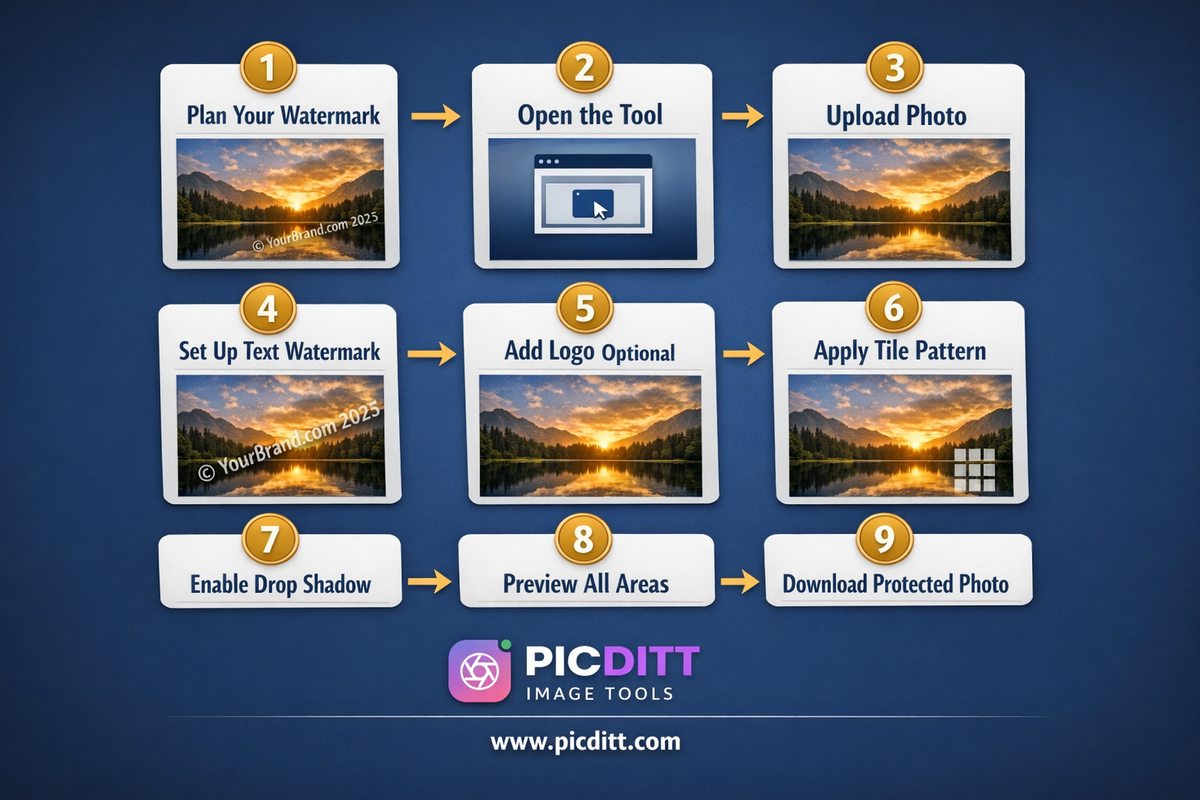
Step 1: Plan Your Watermark Before You Start
The most common mistake is opening the tool and improvising. Decide these things first:
What text will you use? Recommended: © 2025 YourBrand.com — this single line contains a copyright notice, your year of creation, and a traffic-driving URL.
Will you use a logo? If yes, find your PNG logo file with a transparent background before opening the tool.
What level of protection do you need? Client proof (heavy), portfolio (subtle), social media (light), or maximum protection (tiled)?
Step 2: Open the Tool
Visit https://picditt.com/misc/watermark in any modern browser. No account, no installation, no loading time.
Step 3: Upload Your Photo
Click "Choose Image" or drag and drop your photo. Accepts JPEG, PNG, WebP, BMP, and GIF up to 50 MB. For best output quality, upload the highest resolution version of your photo available.
Step 4: Set Up Your Text Watermark
- Select text watermark type
- Type your watermark text
- Choose font — clean sans-serif for modern brands, serif for traditional
- Select white as your color (works on most photos)
- Enable drop shadow (ensures visibility on light areas)
- Set opacity based on your use case (see table above)
- Set rotation — try 30–45 degrees for diagonal
- Position using presets or drag to your preferred location
Step 5: Add Your Logo (Optional)
- Click to add a logo watermark element
- Upload your PNG logo file
- Set size to 8–12% of image width
- Set opacity — logos typically look best at 40–60%
- Position to a corner or your preferred location
Step 6: Apply Tile Pattern if Needed
For client proofs or high-protection needs, enable the diagonal tile pattern on your text watermark. This covers the entire image surface and dramatically increases removal difficulty.
Step 7: Enable Drop Shadow
Always enable drop shadow when watermarking photos with varied backgrounds. Without shadow, a white watermark on a white wall section becomes completely invisible. The shadow ensures consistent visibility across the full dynamic range of your photo.
Step 8: Preview Across the Entire Photo
Zoom in on different areas of your photo — light areas, dark areas, colorful areas, neutral areas. Confirm your watermark is visible throughout. Adjust opacity or shadow intensity if any area makes the watermark invisible.
Step 9: Download Your Protected Photo
Click Download. Your watermarked photo saves instantly as a high-quality PNG. No watermark is added to your watermark (the output is completely clean except for your intentional watermark). The original photo remains unchanged on your device.
Advanced Watermarking: Strategies That Actually Work
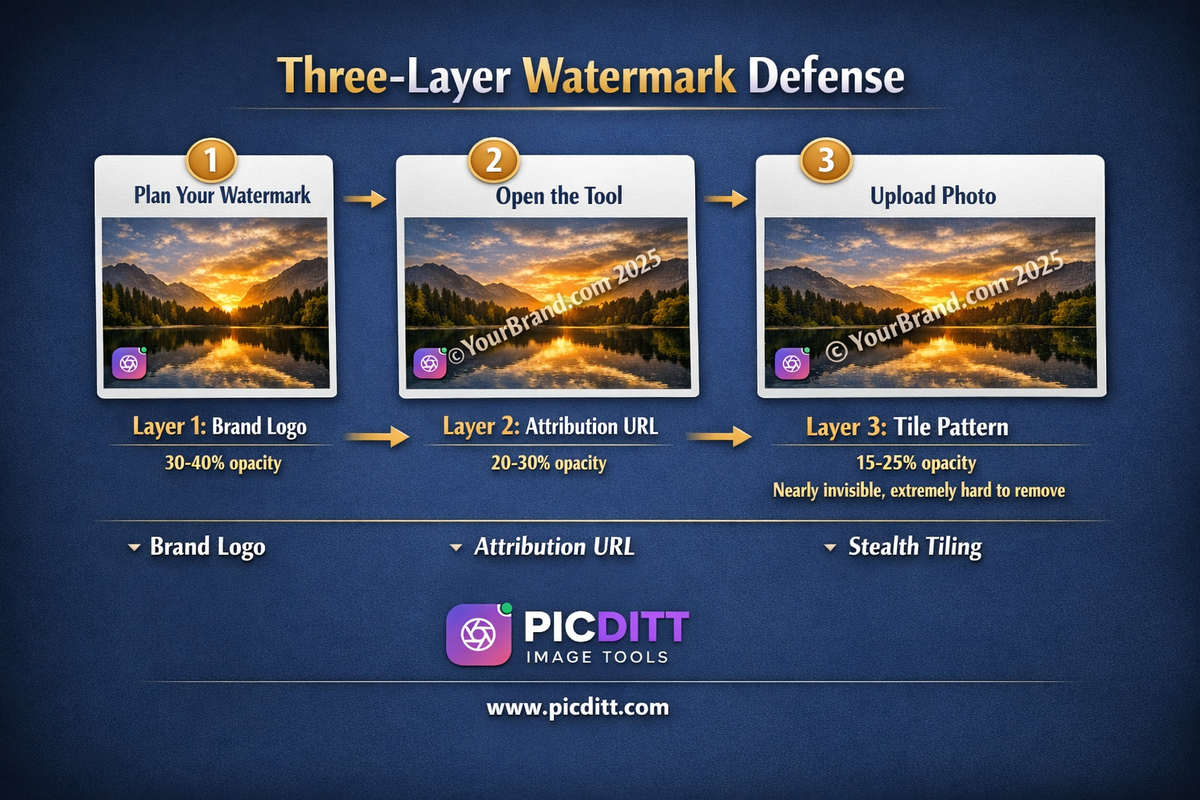
The Layered Defense Strategy
Single-element watermarks provide basic protection. A layered strategy provides comprehensive protection:
Layer 1 — Visible brand element (30–40% opacity):
Your logo or brand name in a corner. This is your marketing layer — recognizable, professional, consistently placed.
Layer 2 — Attribution text (20–30% opacity):
Your website URL as a subtle diagonal across the center. This layer survives most casual editing attempts that might remove your corner logo.
Layer 3 — Tiled protection (optional, 15–25% opacity):
A very low opacity tiled pattern across the full image. Nearly invisible to casual viewers but catastrophically difficult to remove cleanly.
This three-layer approach is used by high-volume stock photographers and professional studios where image theft is most costly.
Platform-Specific Strategies
Different platforms create different theft risks and require different watermark strategies:
Instagram:
Photos are displayed at moderate resolution with limited download options, but screenshots are trivial. Use a subtle diagonal watermark at 25–35% opacity. Include your Instagram handle specifically (@yourusername) since Instagram users can directly search handles.
Pinterest:
Pinterest is a high-theft environment because the platform's entire purpose is saving and collecting images. Use a more prominent watermark at 35–50% opacity. Include your website URL — Pinterest users regularly click through to sources.
Your own website or portfolio:
Maximum protection is appropriate here since serious thieves target source sites specifically. Consider diagonal tiled patterns at 50–60% opacity for showcase images.
Client delivery previews:
Maximum protection — 70–80% opacity tiled diagonal pattern. Include "PREVIEW ONLY" in your watermark text. The goal is to make the preview completely unusable as a finished image.
E-commerce listings:
Subtle but consistent — 30–40% opacity in a consistent corner position. More prominent for high-value products where competitor theft is most likely.
The Watermark Consistency Principle
The most underestimated aspect of effective watermarking is consistency. A watermark applied sporadically to some photos provides little protection — thieves simply seek out the unprotected ones. A watermark applied consistently to every photo you publish online creates:
Recognition: People begin to associate your watermark style with your brand before they read the name.
Deterrence: If all your photos are watermarked, there are no easy targets.
Professionalism: Consistent branding across all your visual content communicates professional operation.
Legal strength: Consistent application strengthens your ownership claim — it demonstrates that watermarking is your systematic practice rather than something applied selectively.
Who Needs This Guide: Use Cases by Profession
Professional Photographers
Photography is the profession where watermarking matters most and is practiced least consistently. Many photographers add watermarks to client proofs but share unwatermarked versions on social media and portfolio sites — the exact places where theft originates.
Recommended approach:
- All portfolio images: Logo watermark + copyright text, 25–35% opacity, consistent corner placement
- Social media posts: Handle watermark + website URL, diagonal, 30–40% opacity
- Client proofs: Tiled pattern, 60–80% opacity, "PREVIEW ONLY" text included
- Stock submissions: Check platform requirements — some stock sites prohibit watermarks
E-Commerce Businesses
Product photography represents a significant investment for online sellers, and competitors regularly steal product images. For sellers on Shopify, Amazon, Etsy, and similar platforms, watermarked product photos serve dual purposes: deterring competitor theft and building brand recognition when photos get shared on social media.
Recommended approach:
- Subtle brand name or logo watermark, 25–35% opacity
- Consistent placement across all product photos
- Include website URL for traffic generation
Content Creators and Influencers
Content creators build their livelihood on audience growth. When their photos get shared without attribution, that growth goes to whoever shared it instead. A handle watermark turns every share into a potential follower acquisition.
Recommended approach:
- Social handle watermark on every photo shared publicly
- Subtle enough not to distract from content aesthetics
- Consistent style across all content for brand recognition
Digital Artists and Illustrators
Digital artwork is among the most frequently stolen content online. Illustrations get downloaded and used commercially, resold on print-on-demand platforms, and claimed as AI-generated work. For digital artists, watermarking is not optional — it is a fundamental business practice.
Recommended approach:
- Diagonal tiled pattern at 40–60% opacity over the main subject
- Lower opacity copyright notice in a corner
- Make the watermark placement cover enough of the work to make it unusable for printing
Small Businesses and Marketers
Any business that creates marketing photography — product shots, lifestyle images, team photos, event documentation — should watermark before distribution. When marketing photos get used by press, bloggers, or partners without permission, a watermark ensures brand credit even in unauthorized uses.
Frequently Asked Questions
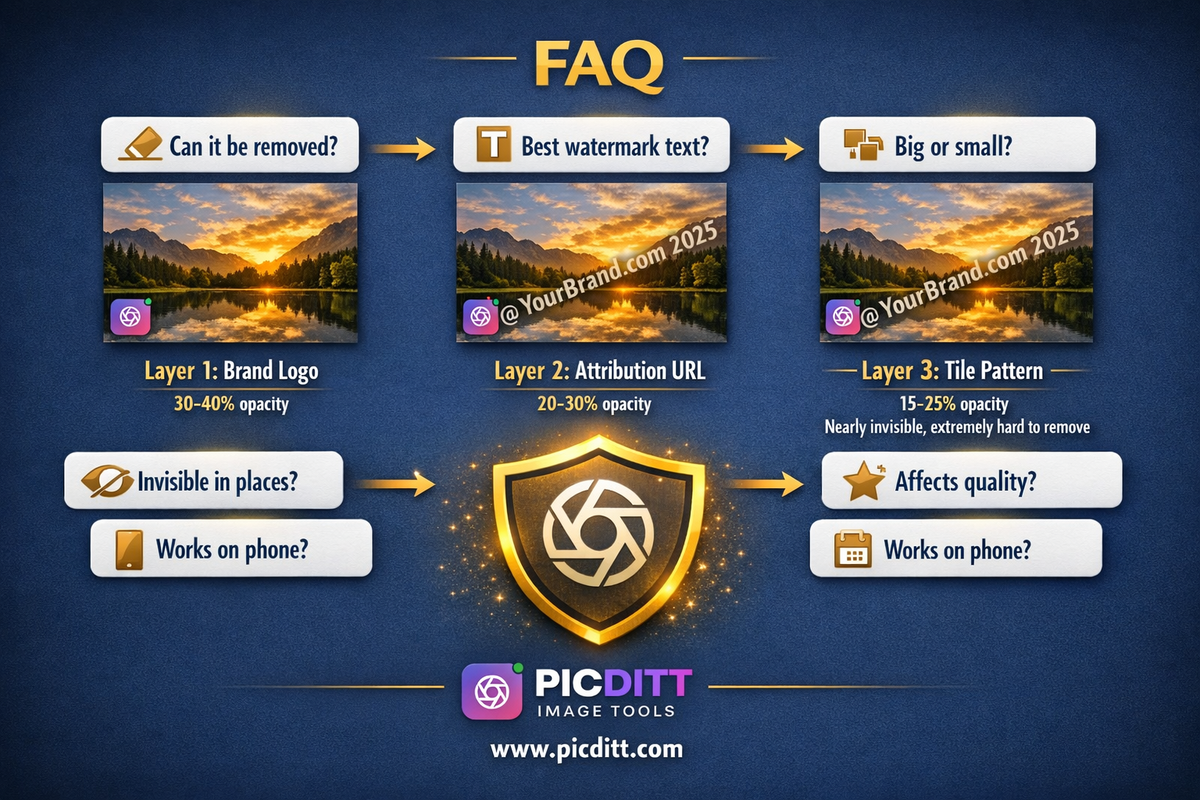
Can watermarks be removed?
Yes, with enough effort and skill. AI-powered watermark removal tools can remove simple watermarks automatically. However, this assumes a level of motivation that most casual thieves simply do not have. Diagonal tiled patterns are significantly harder to remove because they require clean inpainting across dozens of instances — each removal attempt degrades the photo quality and creates visible artifacts. The goal is not to make removal impossible but to make your photo a less attractive target than unprotected alternatives.
What is the best watermark text for photographers?
The most effective single-line watermark for photographers is © [Year] [YourWebsite.com]. This format contains a legal copyright notice, establishes the creation year, and provides a traffic-driving URL — maximum information in minimum space. Add your name or studio name if your website URL is not self-descriptive: © 2025 John Smith Photography | johnsmith.com.
Should my watermark be big or small?
Neither extreme works well. A watermark that is too small becomes invisible at small display sizes and provides no deterrence. A watermark that is too large dominates the image and detracts from its appeal, potentially reducing engagement. Aim for a watermark that occupies approximately 15–25% of the image width for text, or 8–12% for logos. Pair with 30–50% opacity for the professional sweet spot.
Does watermarking affect image quality?
No. The Picditt tool outputs PNG files which use lossless compression — every pixel of your original photo is preserved exactly. The watermark is an overlay on top of the original image data, not a modification to it. The output file may be slightly larger than a compressed JPEG, but quality is maintained perfectly.
My watermark is invisible on some parts of my photo. What do I do?
Enable the Drop Shadow effect. A shadow behind your watermark text or logo creates contrast that makes it visible against any background — light walls, bright skies, white products, and any other light areas where a white watermark without shadow disappears. If shadow alone is not enough, also enable Outline. The combination of white text with black shadow and outline is visible against virtually any photographic background.
How do I watermark photos on my phone?
Visit picditt.com/misc/watermark in your phone's browser (Chrome, Safari, or any modern mobile browser). The tool is fully mobile-responsive with touch-optimized controls. Upload photos from your camera roll, add your watermark, and download directly to your photo library — no app installation required.
Is there a watermark on my watermarked photos?
No. The Picditt tool adds only the watermarks you intentionally create. There is no tool branding, no logo, and no attribution text added to your output by the tool itself. The output is completely clean except for your intentional watermark elements.
How often should I watermark my photos?
Every time, before sharing anywhere. The most common mistake is selective watermarking — adding watermarks to some photos but not others. Selective watermarking creates unprotected photos that become easy targets. Make watermarking the final step in your photo preparation workflow, applied automatically before every upload, every email, and every share.
The Mindset Shift: From Reactive to Proactive
Most creators think about watermarking reactively — after they discover a stolen photo, after a competitor uses their product images, after a scammer creates a fraudulent listing with their property photos.
Reactive watermarking is better than nothing. But it cannot undo the damage already done by the photos that are already circulating unprotected.
Proactive watermarking — applied consistently to every photo before it leaves your device — eliminates this entire category of loss. It turns watermarking from a damage-control measure into a systematic business practice that protects every image from the moment it enters the world.
The Picditt Watermark Tool makes proactive watermarking practical. The tool loads instantly, processes photos in seconds without uploading them anywhere, and outputs professional-quality watermarked photos ready for immediate use. There is no upload wait, no processing delay, no account required, and no cost.
Over 2.1 million images have been protected through this tool. Each one took under two minutes to watermark. Each one is now carrying its creator's identity wherever it travels online.
Yours can too.
Ready to Try It Yourself?
Use this tool for free — no signup, no download, no watermarks.
Open Free ToolYou Might Also Like
Make Your Photos Pop: Free Aesthetic Filters Online (A VSCO Alternative)
Enhance your photos instantly with free online filters. Apply effects, adjust colors, and download high-quality images in seconds.
Read More →
How to Crop a Picture into a Circle: Free Online Round Profile Picture Maker
Need a perfectly round profile picture? Picditt's free Circle Crop tool lets you crop any photo into a circle with transparent background. Position, zoom, choose your size, and download a PNG — all in your browser, 100% private. Works for LinkedIn, GitHub, Slack, Discord, and any platform that uses circular avatars.
Read More →
Free Universal Image Converter — Change Any Image Format Online Instantly
Convert images between any format — JPG, PNG, WebP, GIF, HEIC, and BMP — completely free. Batch convert multiple files, adjust quality settings, and download instantly. All processing happens in your browser for complete privacy.
Read More →