Protect Your Listings: How to Watermark Real Estate Photos Quickly (Free & Professional)

Protect Your Listings: How to Watermark Real Estate Photos Quickly (Free & Professional)
Someone is using your listing photos right now without your permission.
It sounds dramatic, but it happens constantly in real estate. A competitor screenshots your carefully staged interior shots and reposts them on their own listing. A rental scammer takes your property photos and creates a fraudulent listing on Craigslist or Facebook Marketplace. Another agent downloads your exterior photos and uses them on their own marketing materials without credit or compensation.
Real estate photography is expensive. A professional shoot for a single property can cost anywhere from a few hundred to over a thousand dollars. Those photos represent a real investment — and without watermarking, they're completely unprotected the moment you upload them to any listing platform, social media page, or website.
Watermarking your real estate photos is one of the simplest, most effective ways to protect that investment. It deters theft, establishes ownership, drives brand recognition, and ensures that even if your photos are shared or copied without permission, they still carry your agency's identity wherever they go.
This complete guide covers everything: why photo theft is rampant in real estate, what makes an effective real estate watermark, and exactly how to use the free Picditt Watermark Tool to protect your listing photos professionally — in seconds, without uploading your images to any server.

The Real Estate Photo Theft Problem Is Bigger Than You Think
How Common Is Real Estate Photo Theft?
Real estate photo theft is not an occasional edge case — it is a systematic, widespread problem that affects agents, photographers, and property owners at every level of the market.
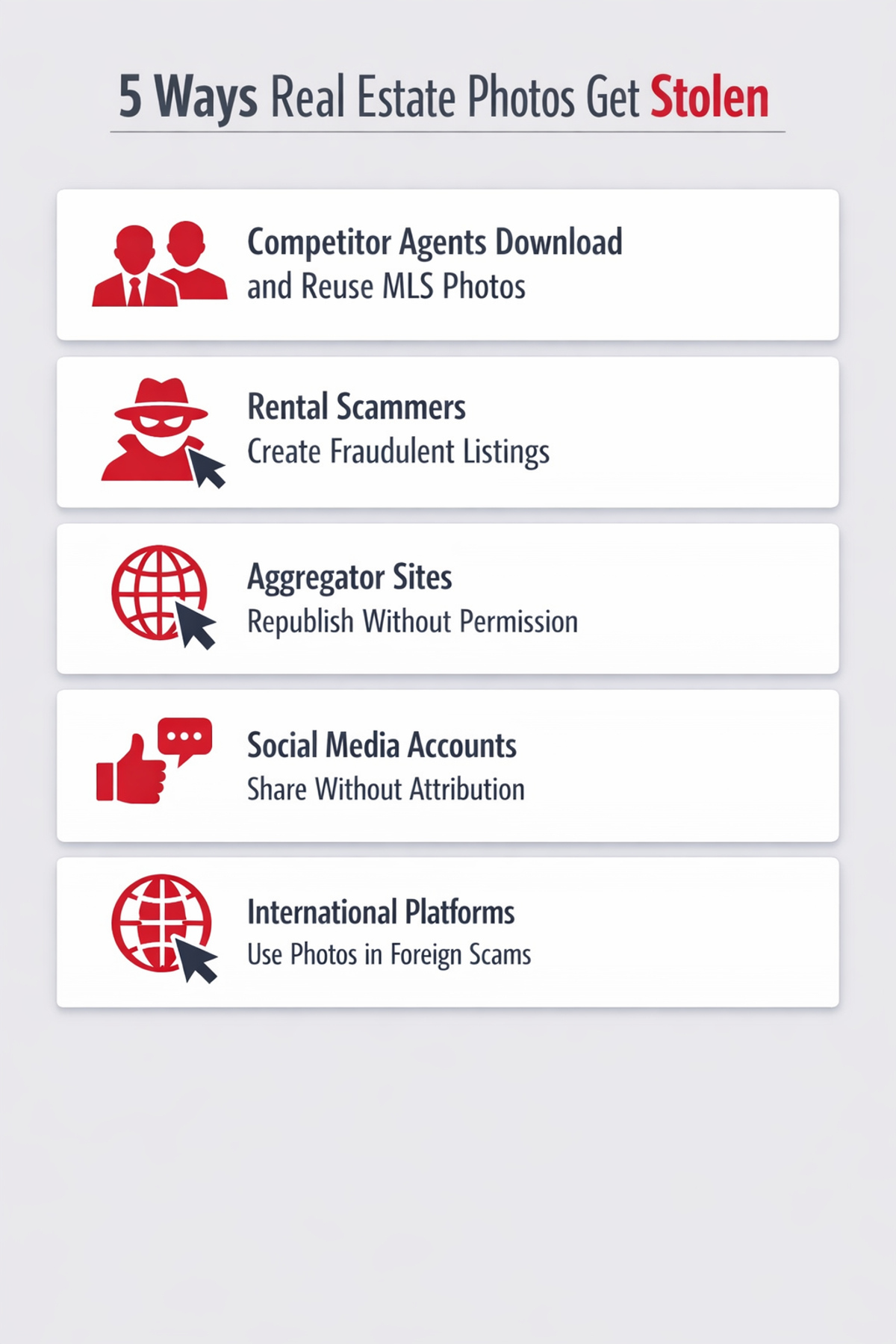
Here are the most common ways real estate photos get stolen and misused:
Competitor theft: Agents in competitive markets download listing photos from MLS databases, Zillow, Realtor.com, and agency websites to use for their own listings, marketing materials, or social media content. Because listing photos are publicly accessible and easy to download, this happens constantly.
Rental fraud: Scammers download property photos from legitimate listings and create fraudulent rental advertisements on platforms like Craigslist, Facebook Marketplace, and Airbnb. Victims pay deposits and rent for properties they'll never be able to access. This type of scam has caused significant financial harm to renters nationwide.
Unauthorized redistribution: Real estate aggregator websites, local news publications, neighborhood blogs, and social media accounts frequently use listing photos without permission or attribution. While sometimes accidental, it still represents unauthorized use of your intellectual property.
Agent turnover issues: When agents leave a brokerage, photos shot during their tenure often get used by both parties — the departing agent and the remaining brokerage — creating ownership disputes that are difficult to resolve without clear attribution.
International listing misuse: Luxury properties and vacation rentals are particularly vulnerable to having their photos used in international scams and fraudulent listings on overseas platforms where enforcement is nearly impossible.
The Financial Impact
Professional real estate photography is a significant investment:
Property Type
Typical Photography Cost
Standard residential listing
$150 — $400
Luxury residential listing
$400 — $1,500
Commercial property
$500 — $2,000
Aerial/drone photography add-on
$150 — $500
Virtual tour add-on
$200 — $800
When these photos are stolen and used without permission, that investment generates zero return for the rightful owner. Worse, fraudulent use can create legal complications and brand damage that costs far more than the original photography investment.
What Is a Watermark and How Does It Protect Your Photos?
A watermark is a visible overlay placed on an image to establish ownership, identify the source, and deter unauthorized use. In real estate, watermarks typically include:
- Agency name or logo
- Agent's name
- Website URL
- Phone number
- Copyright notice (© 2025 Agency Name)
- Social media handle
The protection watermarks provide operates on several levels:
Visual Deterrence
The primary function of a watermark is deterrence. A visible watermark signals to anyone considering stealing the photo that ownership is clearly established and traceable. Many opportunistic thieves — particularly competitors looking for a quick shortcut — will simply move on to unprotected images rather than deal with the complications of using a watermarked one.
Attribution That Travels
Even when photos are shared legitimately — by potential buyers, local news outlets, or social media users who love the property — a watermark ensures your agency's brand travels with the image. This passive marketing effect means every share of a listing photo becomes a brand impression for your agency.
Legal Evidence of Ownership
In the event of unauthorized use that requires legal action, a consistently applied watermark provides evidence of your ownership and the date you began using the image. While a watermark alone doesn't replace proper copyright registration, it significantly strengthens your position in any dispute.
Fraud Prevention
For rental scammers specifically, watermarked photos that clearly display your agency's name and phone number are significantly less useful. A fraudulent listing using a photo watermarked with your agency's branding is immediately suspicious to anyone who searches your agency's name.

Types of Watermarks for Real Estate Photos
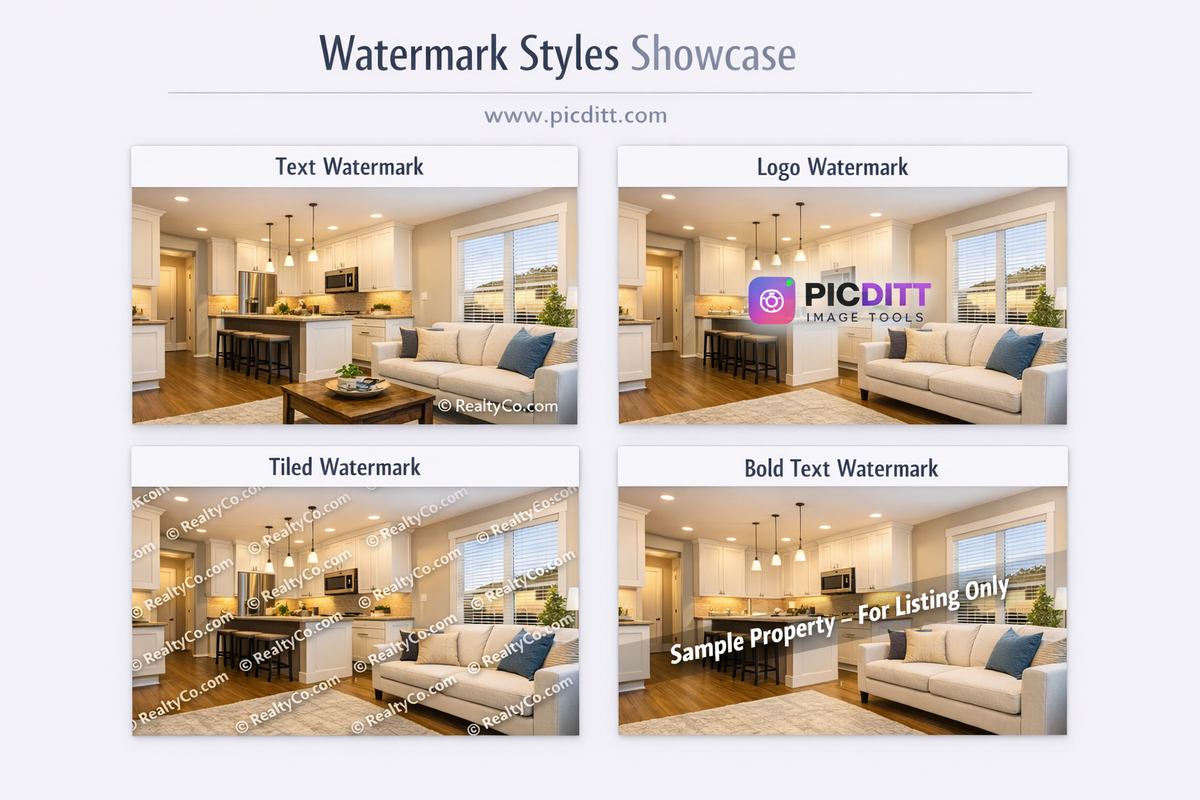
The Picditt Watermark Tool supports multiple watermark types. Understanding which works best for different situations makes your protection strategy more effective.
Text Watermarks
The most common and practical choice for real estate. Text watermarks display your agency name, agent name, website URL, or copyright notice directly on the photo.
Best for:
- Quick watermarking of large batches of listing photos
- Maintaining consistent branding across all listings
- Including your website URL to drive traffic from shared images
- Copyright notices that establish clear legal ownership
Best text watermark content for real estate:
© 2025 Your Agency Name— simple and professionalYourAgency.com | (555) 123-4567— combines brand and lead generation@youragencyhandle— drives social media followsPhoto: YourName.com— photographer attribution
Logo Watermarks
Upload your agency's logo as the watermark image. Logo watermarks are more visually sophisticated than text and immediately communicate professional brand identity.
Best for:
- Agencies with strong brand recognition
- Luxury listings where visual quality matters most
- Social media content where brand aesthetics are important
- When your logo is more recognizable than your written agency name
Logo watermark tips:
- Use a PNG version of your logo with a transparent background
- Ensure the logo is high resolution (at least 500px wide)
- A white version of your logo on a dark shadow often works best across varied property photos
Tiled Pattern Watermarks
Repeat your watermark across the entire image in a grid or diagonal pattern — 2×2, 3×3, 4×4, or 5×5 repetitions covering the whole photo.
Best for:
- Maximum theft deterrence when photos are particularly valuable
- Luxury property photography where theft risk is highest
- Preview images sent before a client has confirmed a listing agreement
- Any situation where the photo has high commercial value
Important: Tiled watermarks are significantly harder to remove than single-placement watermarks. A thief would need to clone-stamp or AI-inpaint over dozens of watermark instances rather than just cropping one corner — which degrades the photo quality and creates obvious artifacts.
Diagonal Watermarks
Rotate your text or logo to a diagonal angle (typically 30–45 degrees) across the image.
Best for:
- Standard listing photos on MLS and listing platforms
- A balance between visual appeal and theft deterrence
- When you want more coverage than a corner placement without full tiling
Diagonal watermarks are harder to remove than horizontal/vertical ones because they cross more of the image and don't align with the natural horizontal/vertical structure of most editable elements.
Introducing the Picditt Watermark Tool
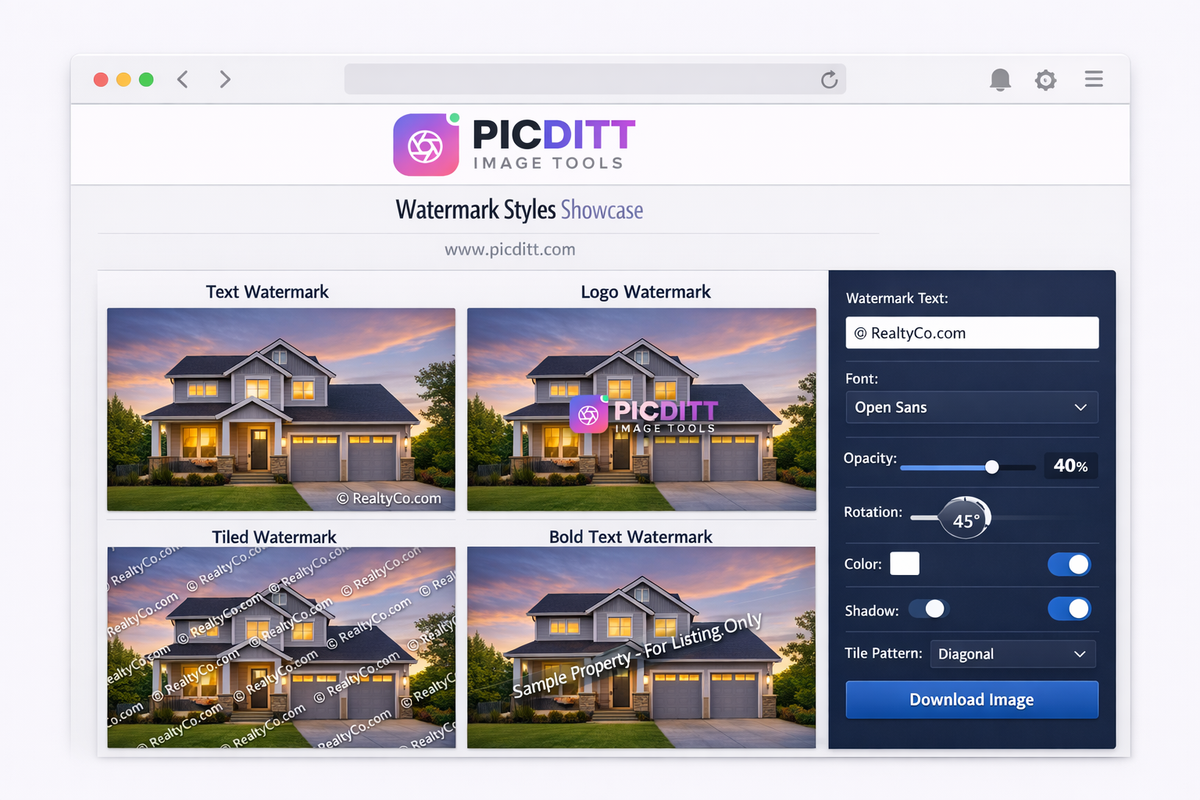
The Picditt Watermark Tool is a free, browser-based watermarking solution that lets you add professional text and logo watermarks to any real estate photo — with complete control over opacity, position, rotation, font, color, and pattern — without ever uploading your images to any server.
Why Privacy Matters for Real Estate Photos
Real estate listing photos often contain sensitive information — property layouts, security features, valuable items visible in interior shots, and identifying details about homes that haven't yet publicly launched. Uploading these photos to third-party servers for watermarking creates unnecessary exposure.
The Picditt tool processes everything 100% within your browser. Your photos are loaded into your browser's local memory, watermarked entirely on your device, and downloaded directly to your storage. No photo data is ever transmitted to any server. This is particularly important for:
- Pre-listing photos taken before public announcement
- Interior shots showing security systems or valuables
- High-value luxury property photography
- Photos taken under NDA or confidentiality agreements with sellers
Key Features
Multiple Watermark Types
Text watermarks with 8 professional fonts, logo/image watermarks, tiled grid patterns up to 5×5, and diagonal placement options.
Custom Colors
16 preset colors plus a full custom color picker. Match your exact agency brand colors for consistent professional presentation.
Adjustable Opacity
5% to 100% transparency control. The sweet spot for most real estate photos is 30–50% — visible enough to deter theft, subtle enough not to distract from the property.
Full Rotation
Rotate watermarks from -180° to +180° for diagonal or any custom angle placement.
Drop Shadows and Outlines
Optional shadow and outline effects ensure your watermark remains visible across both light and dark areas of property photos.
High Resolution Output
Supports input images up to 10,000 × 10,000 pixels with lossless PNG output. Your watermarked photos maintain full professional quality.
Technical Specifications
Specification
Details
Input Formats
JPEG, PNG, WebP, BMP, GIF
Output Format
PNG (lossless quality)
Maximum File Size
50 MB
Maximum Resolution
10,000 × 10,000 pixels
Watermark Types
Text, Logo/Image
Font Options
8 professional typefaces
Opacity Range
5% — 100%
Rotation Range
-180° to +180°
Tile Patterns
Single, 2×2, 3×3, 4×4, 5×5, Diagonal
Effects
Shadow, Outline, Bold, Italic
Processing
100% client-side (browser-based)
Privacy
No server uploads, no data collection
Cost
Free forever, no watermark on watermarks
Step-by-Step Guide: Watermarking Real Estate Photos
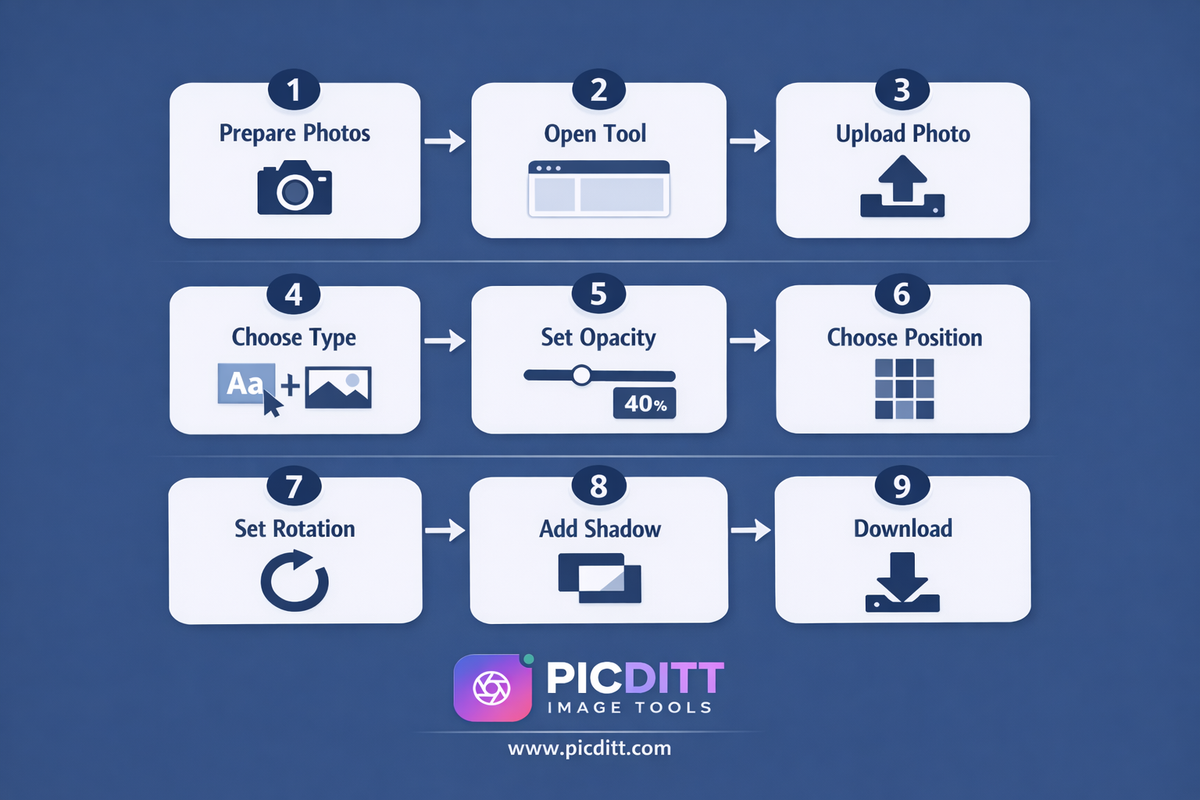
Here is the complete process for watermarking your listing photos professionally.
Step 1: Prepare Your Photos
Before watermarking, a few preparation steps produce better results:
Edit first, watermark last. Complete all color correction, exposure adjustments, and retouching before adding your watermark. Editing after watermarking can distort the watermark.
Use full resolution files. Watermark your highest resolution versions. You can always export smaller versions later, but starting with full resolution gives you flexibility.
Organize by listing. Group photos by property before watermarking so you can apply consistent settings to all photos from the same listing.
Step 2: Open the Tool
Visit https://picditt.com/misc/watermark in any modern browser. No account, no installation, instant access on desktop or mobile.
Step 3: Upload Your Photo
Click "Choose Image" or drag and drop your photo onto the upload area. Supported formats include JPEG, PNG, WebP, BMP, and GIF up to 50 MB.
Step 4: Choose Your Watermark Type
For text watermark:
- Select the Text option
- Type your watermark content (agency name, URL, copyright notice)
- Choose your font from the 8 available professional typefaces
- Set your text size relative to the image
For logo watermark:
- Select the Logo/Image option
- Upload your agency logo (PNG with transparent background works best)
- The tool places your logo on the photo at the size and position you specify
Step 5: Set Opacity
This is the most important setting for real estate watermarks. Use the opacity slider:
- 70–100% — Maximum visibility. Use for preview photos sent to unconfirmed clients or high-value listings where theft risk is highest.
- 30–50% — Professional balance. Clearly visible but not distracting from the property. Best for MLS and public listing photos.
- 10–25% — Subtle protection. Barely noticeable on casual viewing but clearly present when looking for it. Best for portfolio and social media where aesthetics are paramount.
Step 6: Choose Position and Pattern
Single placement options:
- Center — most visible, hardest to crop out
- Corner (any of four corners) — least intrusive, easier to crop out
- Custom position — drag to place exactly where you want
Tiled pattern options:
- 2×2 grid — light coverage
- 3×3 grid — moderate coverage (recommended for standard listings)
- 4×4 or 5×5 grid — heavy coverage for maximum protection
- Diagonal tiling — aesthetically pleasing coverage
Step 7: Apply Rotation
For diagonal watermarks, set rotation to 30–45 degrees. This classic angle provides good coverage while remaining visually clean. The tool supports any angle from -180° to +180°.
Step 8: Add Shadow or Outline (Recommended)
Enable Drop Shadow or Outline to ensure your watermark remains visible across both light areas (white walls, bright exteriors) and dark areas (evening shots, shadowed interiors) of your property photos. Without a shadow or outline, white text on a white wall section becomes invisible.
Step 9: Preview and Download
Check the full preview at actual size — look at how the watermark appears across different areas of the photo including light and dark regions. Adjust opacity or shadow settings if needed. Click Download when satisfied. Your watermarked photo saves as a high-quality PNG immediately.
Watermarking Strategy for Different Real Estate Scenarios
MLS and Public Listing Photos
Goal: Brand recognition and passive deterrence without impacting buyer experience.
Recommended settings:
- Text watermark with agency name and website URL
- Opacity: 30–40%
- Position: Bottom-right corner or subtle diagonal
- Font: Clean, professional sans-serif
- Color: White with drop shadow
Reasoning: Buyers viewing MLS photos are evaluating the property, not looking for your watermark. Keep it subtle enough not to distract but visible enough to establish attribution.
Preview Photos for Unconfirmed Clients
Goal: Maximum protection before a listing agreement is signed.
Recommended settings:
- Tiled 3×3 or diagonal pattern
- Opacity: 60–70%
- Text: Agency name + "PREVIEW ONLY"
- Color: White or agency brand color with outline
Reasoning: Before a listing agreement is signed, you have no contractual protection. Heavy watermarking protects your photography investment during the pre-agreement period.
Social Media Marketing Photos
Goal: Brand building that travels with viral shares.
Recommended settings:
- Logo watermark or clean text
- Opacity: 25–35%
- Position: Center or consistent corner
- Include social handle (@youragency)
Reasoning: Social media photos get shared, saved, and reposted extensively. A subtle watermark with your social handle turns every share into a marketing impression.
Luxury Property Photography
Goal: Maximum protection of high-value photography investment.
Recommended settings:
- Combination of subtle single watermark for public listings
- Heavy tiled watermark for any preview or off-market sharing
- Logo watermark using professional agency branding
- Higher quality PNG output for maximum resolution
Reasoning: Luxury property photography costs significantly more and the photos have higher commercial value. The theft risk is higher and the cost of replacement is greater.
Virtual Tours and 3D Imagery
Goal: Attribution on still screenshots shared from virtual tours.
Recommended settings:
- Agency logo in bottom corner
- Opacity: 40–50%
- Include website URL
Reasoning: Still screenshots from virtual tours frequently get extracted and shared without context. A watermark ensures attribution even on extracted screenshots.
Best Practices for Real Estate Watermarking
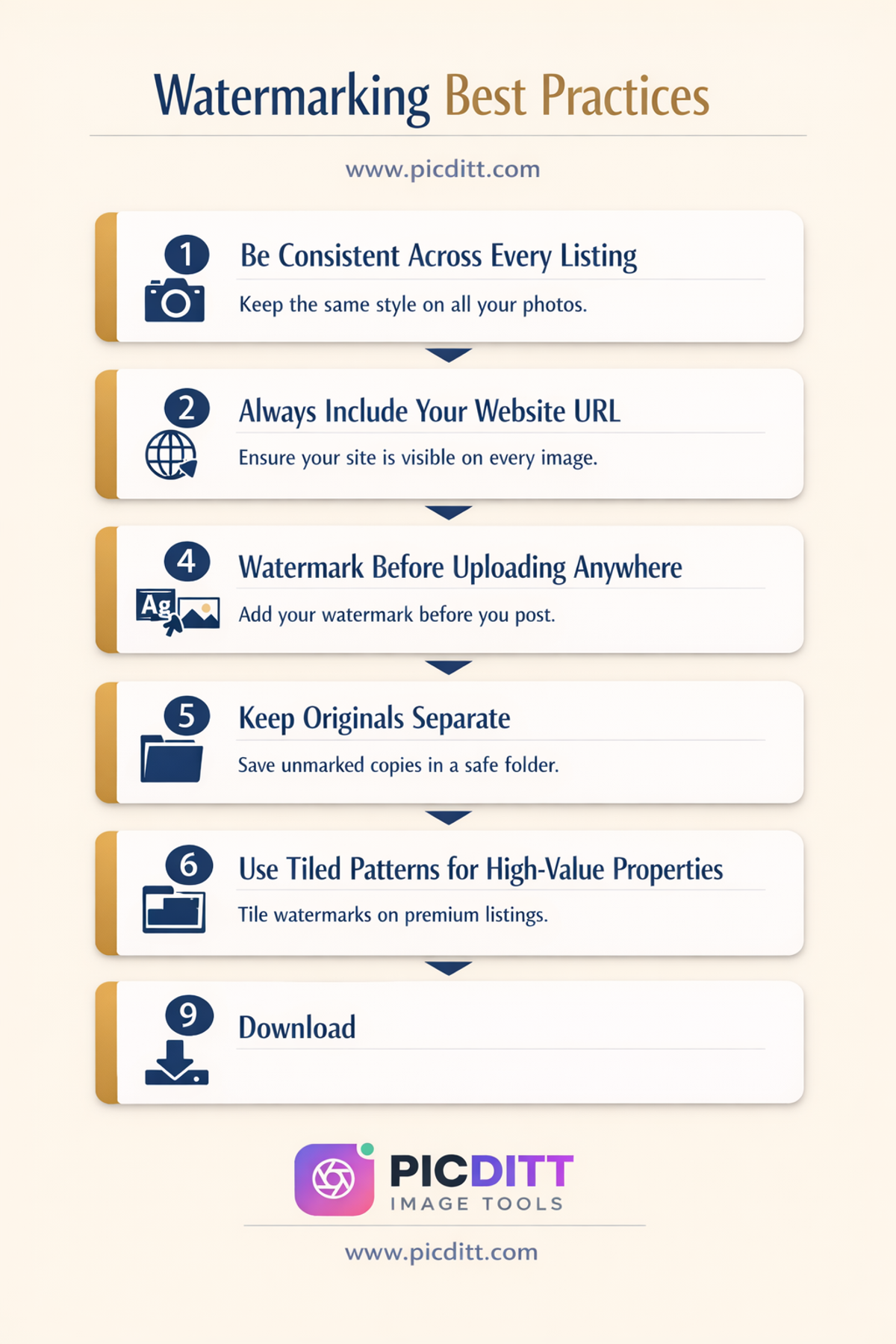
Practice 1: Be Consistent Across Every Listing
The most effective watermarking strategy is a consistent one. Use the same watermark content, font, position, and opacity across every listing photo. This builds immediate brand recognition — agents and buyers start to associate your specific watermark style with your agency's quality and professionalism.
Practice 2: Include Your Website URL
Your watermark content should always include your agency's website URL. When your photos are shared on social media, used in articles, or appear in search results, the URL transforms your watermark from passive protection into active marketing. Someone who sees a beautiful property photo with your website URL has an immediate, frictionless path to your listings.
Practice 3: Watermark Before Uploading Anywhere
Watermark photos before uploading to the MLS, Zillow, Realtor.com, your agency website, social media, or anywhere else. Once photos are online without watermarks, the opportunity to protect them from initial distribution is lost. Make watermarking the final step in your photo editing workflow, immediately before upload.
Practice 4: Keep Originals Separate
Always save your original unwatermarked photos separately. You may need to produce unwatermarked versions for print advertising, billboard production, or other contexts where watermarks are inappropriate. Keep a clear folder structure separating originals from watermarked versions.
Practice 5: Use Tiled Patterns for High-Value Properties
For properties where photography represents a significant investment — luxury homes, commercial properties, large developments — use tiled watermark patterns rather than single-placement watermarks. The additional coverage dramatically reduces the usability of stolen photos.
Frequently Asked Questions
Do watermarks actually prevent photo theft?
No watermark is completely theft-proof — a determined professional with advanced photo editing skills can remove most watermarks given enough time. However, watermarks provide significant deterrence against the opportunistic theft that makes up the vast majority of real estate photo misuse. Most theft is opportunistic — competitors and scammers are looking for easy targets. A clearly watermarked photo is passed over in favor of unprotected alternatives. For maximum protection, use tiled diagonal patterns which are significantly harder to remove cleanly.
Will watermarks affect my listing photos' quality?
Watermarking does not reduce the underlying photo quality. The Picditt tool outputs PNG files which are lossless — every pixel of your original photo is preserved. The watermark is an overlay on top of the original, not a compression or quality reduction. Buyers viewing your listing photos will see the property clearly with a subtle branding element rather than a quality-reduced image.
What watermark content works best for real estate?
For MLS and public listings, combine your agency name and website URL: © AgencyName.com | 2025. This provides copyright notice, brand attribution, and a traffic-driving URL in one clean watermark. For social media, add your handle: @agencyname. For preview photos shared before listing agreements are signed, add "PREVIEW ONLY" to the text.
Should I use a text or logo watermark for real estate photos?
Both work well and serve slightly different purposes. Text watermarks are faster to apply and include searchable information like your website URL. Logo watermarks build visual brand recognition and look more sophisticated on luxury listings. Many successful agencies use both — a logo watermark for social media and marketing, and a text watermark with URL for MLS listings. The Picditt tool supports both types.
What opacity should I use for listing photos?
For standard MLS and public listing photos, 30–50% opacity is the professional standard. This makes the watermark clearly visible to anyone looking for it while keeping it subtle enough not to distract potential buyers from evaluating the property. For preview photos or high-theft-risk listings, increase to 60–70%. For portfolio and social media photos where aesthetics matter most, 20–30% is appropriate.
Does the tool upload my listing photos to a server?
No. The Picditt Watermark Tool processes everything 100% within your browser using client-side JavaScript. Your listing photos are loaded into your browser's local memory, watermarked entirely on your device, and downloaded directly to your storage. No photo data is ever transmitted to any external server. This is important for pre-listing photos and any images taken under confidentiality arrangements with sellers.
Can I watermark multiple photos at once?
Currently the tool processes one photo at a time. For batch watermarking workflows, open multiple browser tabs and process photos in parallel. Since all processing happens locally without server uploads, multiple simultaneous tabs work smoothly without slowdowns.
What format does the watermarked photo download in?
The tool outputs PNG format, which is lossless — no quality reduction compared to your original. PNG files are universally supported and accepted by all MLS platforms, listing websites, and social media channels. File sizes will be slightly larger than the original JPEG due to the lossless compression, but the quality is preserved completely.
Is this tool free for commercial real estate use?
Yes. The Picditt Watermark Tool is completely free for all use cases including commercial real estate photography, agency branding, and professional listing photo protection. There are no usage limits, no subscription fees, no watermarks on your watermarked photos, and no account required.
Can I watermark drone and aerial photos?
Yes. The tool supports images up to 10,000 × 10,000 pixels and 50 MB file size, which accommodates high-resolution aerial and drone photography. The same watermarking settings apply — for aerial shots, consider using the diagonal tiled pattern since the wide format makes corner watermarks easier to crop.

Final Thoughts: Your Listing Photos Are Your Intellectual Property
Every professional real estate photo you commission represents a financial investment and a creative asset. That investment deserves protection.
Watermarking is not paranoia — it's a standard professional practice used by photographers, agencies, and property professionals worldwide. It deters theft, establishes ownership, builds brand recognition, and ensures your agency's identity travels with your images wherever they go. The agents who complain about stolen listing photos are almost always the ones who skipped this simple step.
The free Picditt Watermark Tool makes professional watermarking accessible to every agent regardless of technical skills or budget. Text watermarks, logo overlays, tiled patterns, custom opacity, full rotation control — everything you need to protect your listing photos properly, processing entirely in your browser with complete privacy, at zero cost.
Your photos represent your agency. Protect them like it.
Add Professional Watermarks to Your Listing Photos Free →
Ready to Try It Yourself?
Use this tool for free — no signup, no download, no watermarks.
Open Free ToolYou Might Also Like

How to Create Before & After Comparison Photos for Free (Side-by-Side Online)
Before and after comparison photos are the most powerful visual content you can create — for fitness transformations, home renovations, product showcases, beauty results, and dozens of other use cases. This complete guide shows you exactly how to create professional side-by-side comparison images, photo collages, grids, and stacked layouts using a free, 100% private, browser-based tool with no watermarks, no signup, and unlimited usage.
Read More →
Magic Eraser Online: How to Remove Unwanted Objects from Photos with AI
Photobombers, power lines, watermarks, blemishes—every photo has something you wish wasn't there. Learn how to use PicDitt's free Magic Eraser to brush over any unwanted object and watch AI remove it seamlessly, all directly in your browser with complete privacy.
Read More →