Is Your Photo Leaking Your Location? The Ultimate Guide to EXIF Data
Is Your Photo Leaking Your Location? The Ultimate Guide to EXIF Data
Every photo you share online could be giving away your home address.
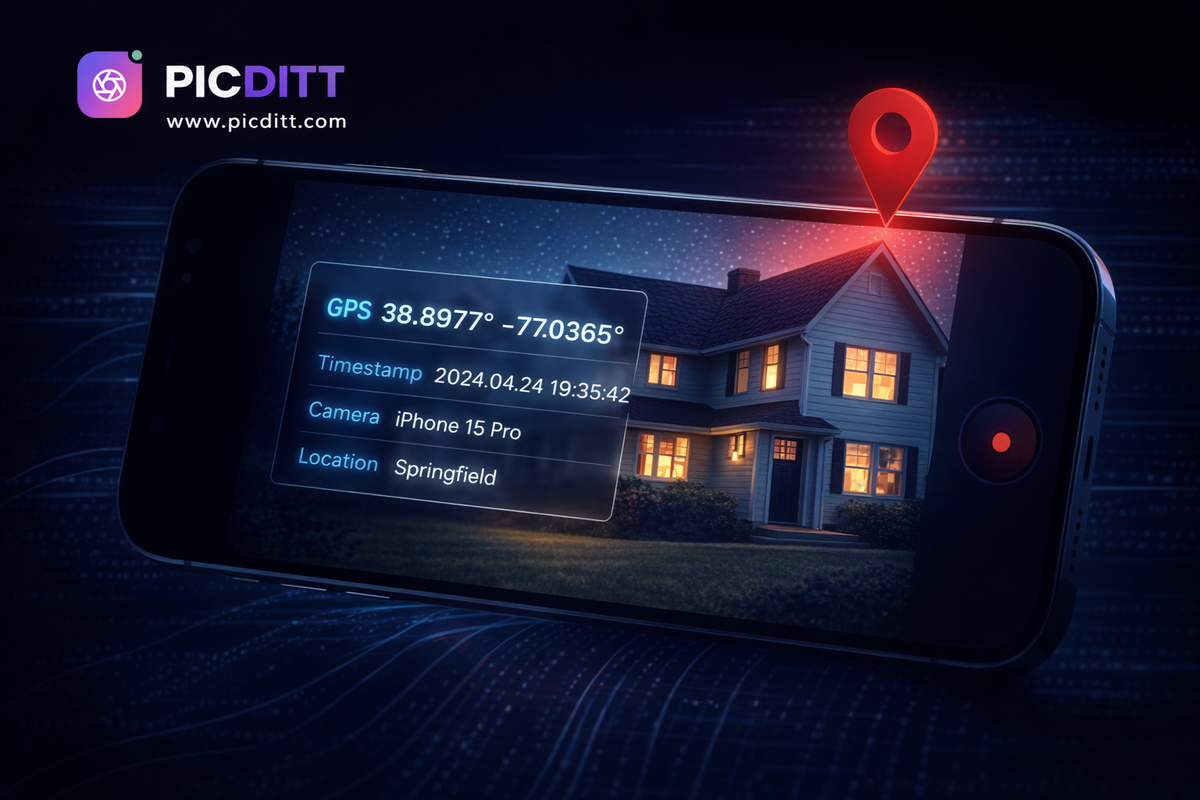
Not because of what's visible in the image. Not because of the background, the street signs, or the landmarks. But because of invisible data — hidden inside the image file itself — that records exactly where you were standing when you pressed the shutter button.
This hidden data is called EXIF data, and most people have never heard of it.
Your smartphone has been embedding your precise GPS coordinates into every single photo you take since the day you got it. Those family photos you shared on Facebook. The product photos you listed on eBay. The selfie you posted on Instagram. Every one of them potentially contained the exact latitude and longitude of the location where they were taken.
In this complete guide, you'll learn exactly what EXIF data is, what specific information it contains, the real-world privacy risks it creates, how major platforms handle it (and how they don't), and how to use the free Picditt EXIF Viewer & Remover to view and strip all hidden metadata from your photos before sharing them — without ever uploading your images to any server.
This is information every smartphone user needs to know.
What Is EXIF Data? A Complete Explanation
EXIF stands for Exchangeable Image File Format. It is a standard specification for the format of image files that includes a section for storing metadata — additional information about the image beyond the visual pixels themselves.
When you take a photo with any digital camera or smartphone, the device automatically writes dozens of data fields into the image file at the moment of capture. This happens silently, invisibly, and by default — you don't have to do anything to enable it, and most people never know it's happening.
The History of EXIF
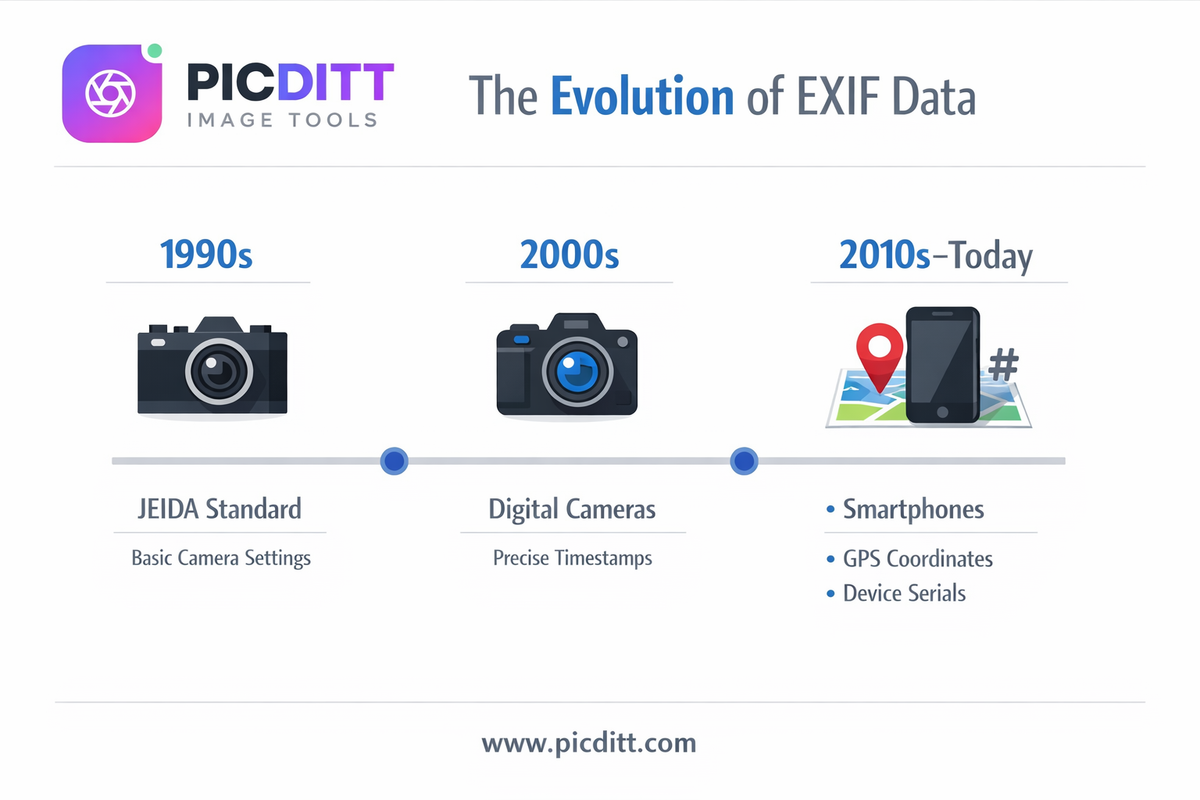
EXIF was developed in the 1990s by the Japan Electronic Industries Development Association (JEIDA) to standardize how cameras record shooting information. The original purpose was entirely practical: photographers needed to remember what camera settings produced which results, especially when shooting on film that wouldn't be developed for days or weeks.
Recording aperture, shutter speed, and ISO alongside each image was genuinely revolutionary for learning and consistency. A photographer could look at a technically excellent exposure and know exactly how to replicate it.
As digital photography evolved through the 2000s and 2010s, so did EXIF. When smartphones added GPS chips, location tagging became part of every photo. Camera manufacturers added lens information, focus points, and face detection data. What started as a simple photographer's assistant became a comprehensive autobiographical record of every moment captured.
Today, a single EXIF record from a smartphone photo can contain over 100 individual data fields.
What Information Does EXIF Data Actually Contain?
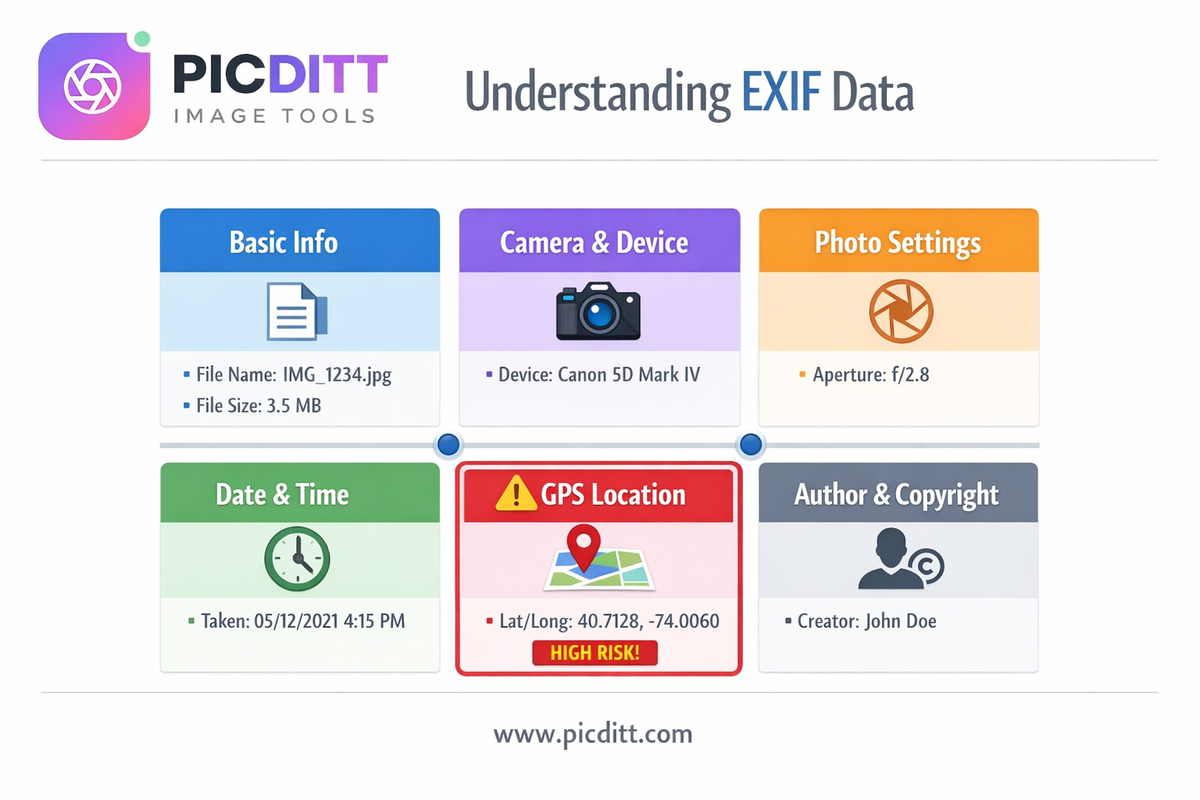
This is where most people are genuinely surprised. EXIF data is far more comprehensive than most users realize. Here is a complete breakdown of every category of information that may be stored in your photos.
Category 1: Basic File Information
Field
What It Records
Example
File Name
Original filename assigned by device
IMG_20260416_142305.jpg
File Size
Size of the image in bytes
4.2 MB
Image Dimensions
Width and height in pixels
4032 × 3024
Color Space
Color encoding standard
sRGB
Bit Depth
Color information depth
8 bits
Category 2: Camera and Device Information
Field
What It Records
Example
Camera Make
Manufacturer of the device
Apple
Camera Model
Specific device model
iPhone 15 Pro
Lens Model
Lens used for the shot
iPhone 15 Pro back camera
Software Version
OS or firmware version
iOS 17.4.1
Serial Number
Unique device identifier
Varies by manufacturer
Privacy Risk: Camera model and serial number can link multiple photos to the same device, effectively creating a fingerprint that connects your images across different platforms, usernames, and time periods.
Category 3: Photo Settings (Technical Data)
Field
What It Records
Example
Aperture (f-stop)
Lens opening size
f/1.78
Shutter Speed
Exposure duration
1/120 sec
ISO
Sensor sensitivity
ISO 64
Focal Length
Lens focal length in mm
6.86mm
Flash
Whether flash fired
No flash
White Balance
Color temperature setting
Auto
Exposure Mode
How exposure was calculated
Auto
Metering Mode
Light measurement method
Pattern
Focus Distance
Distance to focus point
1.2m
Category 4: Date and Time
Field
What It Records
Example
Date Taken
Date photo was captured
2026:04:16
Time Taken
Exact time to the second
14:23:05
Date Digitized
When file was created digitally
2026:04:16
UTC Offset
Time zone offset from UTC
+05:00
Privacy Risk: Timestamps reveal your schedule and routine. A series of photos with timestamps can show when you wake up, when you leave home, when you're on vacation, and when your home is empty.
Category 5: GPS Location Data
This is the most sensitive category and the primary privacy concern for most users.
Field
What It Records
Example
GPS Latitude
North/South position
33.749° N
GPS Longitude
East/West position
84.388° W
GPS Altitude
Height above sea level
320 meters
GPS Speed
Speed at time of capture
0 km/h
GPS Direction
Compass direction camera faced
245° (WSW)
GPS Timestamp
UTC time from GPS satellites
09:23:05 UTC
GPS Accuracy
Precision of coordinates
±5 meters
Privacy Risk: GPS coordinates precise to within 5 meters can identify your home address, workplace, children's school, doctor's office, and any other location you regularly visit. This is the most urgent EXIF privacy issue for the vast majority of users.
Category 6: Author and Copyright Information
Field
What It Records
Example
Artist/Author
Photographer's name
John Smith
Copyright
Copyright statement
© 2026 John Smith
Image Description
Text description
Family vacation
User Comment
Free-form comment field
Taken at grandma's house
XMP Data
Extended metadata
Various fields
The Real Privacy Risks of EXIF Data
Understanding the theoretical risks is one thing. Real-world incidents make the danger concrete.
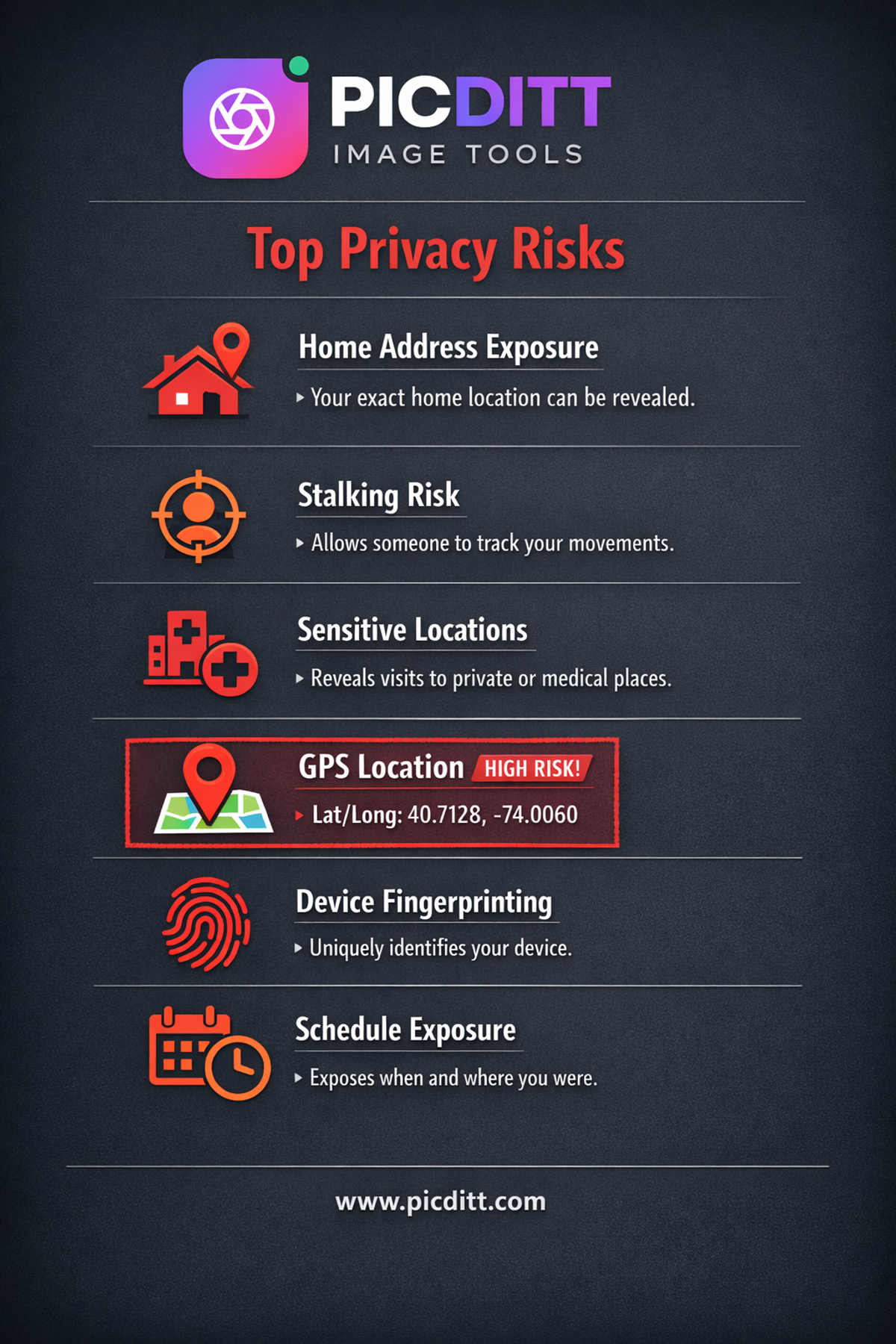
Risk 1: Your Home Address in Every Photo
If your smartphone's camera app has location services enabled — which is the default setting on virtually every new phone — every photo you take at home contains the exact GPS coordinates of your home address.
When you share that photo anywhere — social media, a marketplace listing, a forum, email — anyone who downloads the image and checks its EXIF data knows precisely where you live. They don't need to reverse engineer the image. They don't need to recognize landmarks. The coordinates are written directly into the file.
This is particularly dangerous for:
- People selling items on Facebook Marketplace, eBay, or Craigslist (photos taken at home reveal home address to strangers)
- Domestic abuse survivors who have relocated
- Public figures, journalists, or activists who need location privacy
- Anyone who has received threats or harassment online
Risk 2: Stalking and Physical Surveillance
Cyberstalkers have used GPS coordinates extracted from social media photos to locate victims in documented cases around the world. The process requires no technical expertise — free EXIF viewer tools are available to anyone, and extracting coordinates takes seconds.
A pattern of photos with GPS data creates a map of your life. Your home. Your gym. Your favorite coffee shop. Your children's school. Your workplace. A determined stalker doesn't need to follow you physically when your photos are creating a comprehensive location history online.
Risk 3: Revealing Sensitive Locations
Beyond home addresses, EXIF data can reveal locations you may want to keep private:
- Medical facilities (mental health clinics, addiction treatment centers, specialized hospitals)
- Legal offices (lawyers, immigration attorneys)
- Religious institutions
- Political organizations
- Support groups and community centers
A photo taken at any of these locations and shared online can expose sensitive personal information that you never intended to disclose.
Risk 4: Device Fingerprinting Across Platforms
Your camera's serial number and model information create a unique fingerprint that can link photos across different platforms, usernames, and time periods. This is a significant concern for:
- People trying to maintain separate online identities
- Whistleblowers sharing images as evidence
- Journalists protecting source anonymity
- Anyone who values pseudonymity online
If you post a photo under a pseudonym on one platform and a photo under your real name on another, and both photos were taken with the same phone, your camera's EXIF serial number potentially connects them.
Risk 5: Schedule and Routine Exposure
Timestamps in EXIF data reveal your schedule with alarming precision. A collection of photos with timestamps can show:
- What time you typically wake up
- When you leave for work each day
- When your home is regularly empty
- When you're on vacation and your home is unoccupied
- Your weekend routines and patterns
This information is genuinely useful for burglars, who have used social media posts (including timestamped vacation photos) to identify and target unoccupied homes.
How Major Platforms Handle EXIF Data
A common assumption is that social media platforms strip EXIF data automatically, so users don't need to worry. The reality is more complicated and less reassuring.
Instagram strips GPS coordinates from photos when they're uploaded but retains other EXIF data including timestamps and camera information. Critically, Instagram may use the GPS data internally for advertising targeting before stripping it from the public-facing file. The platform's terms of service grant them broad rights to use this information.
Facebook's behavior is similar to Instagram (both owned by Meta). GPS data is stripped from publicly accessible images, but the platform retains metadata internally and uses it for targeting and user profiling. Other EXIF fields may persist depending on upload method and settings.
Twitter/X
Twitter strips most EXIF data including GPS coordinates from uploaded images. However, policy changes have occurred in the past and cannot be guaranteed to remain consistent. The safest approach is never to rely on platform processing.
WhatsApp compresses images significantly when shared, which incidentally removes most EXIF data as a byproduct of compression. However, when documents are shared as files rather than images, EXIF data may be preserved.
Email does not strip EXIF data. Photos sent as email attachments retain all their original metadata in full. This makes email photo sharing one of the highest-risk channels for EXIF exposure.
Forums, Marketplaces, and Other Websites
The vast majority of websites, forums, and online marketplaces do not process EXIF data at all. Photos uploaded to eBay, Craigslist, Reddit, specialist forums, and countless other platforms retain complete EXIF data accessible to anyone who downloads the image.
The only safe approach is to remove sensitive EXIF data before uploading anywhere rather than trusting that individual platforms will handle it appropriately.
How to View and Remove EXIF Data: Complete Guide
The Picditt EXIF Viewer & Remover is a free, browser-based tool that shows you all hidden metadata in your photos and lets you remove it selectively or entirely — without ever sending your images to any server.
Why Privacy Matters in an EXIF Tool
Here's an irony many users don't consider: using an online EXIF tool that uploads your photos to a server in order to read their location data means you're sharing your location data with that server. Your privacy problem is compounded rather than solved.
The Picditt EXIF tool processes everything 100% within your browser using client-side JavaScript. Your photo is loaded into your browser's local memory, analyzed, and processed entirely on your device. No image data is ever transmitted anywhere. This is the only responsible way to build a privacy tool.
Step-by-Step: How to View EXIF Data
Step 1: Visit https://picditt.com/misc/exif in any browser on any device.
Step 2: Click "Select Image" or drag and drop your photo onto the upload area. Supported formats include JPEG, JPG, PNG, WebP, and TIFF. Maximum file size is 50 MB.
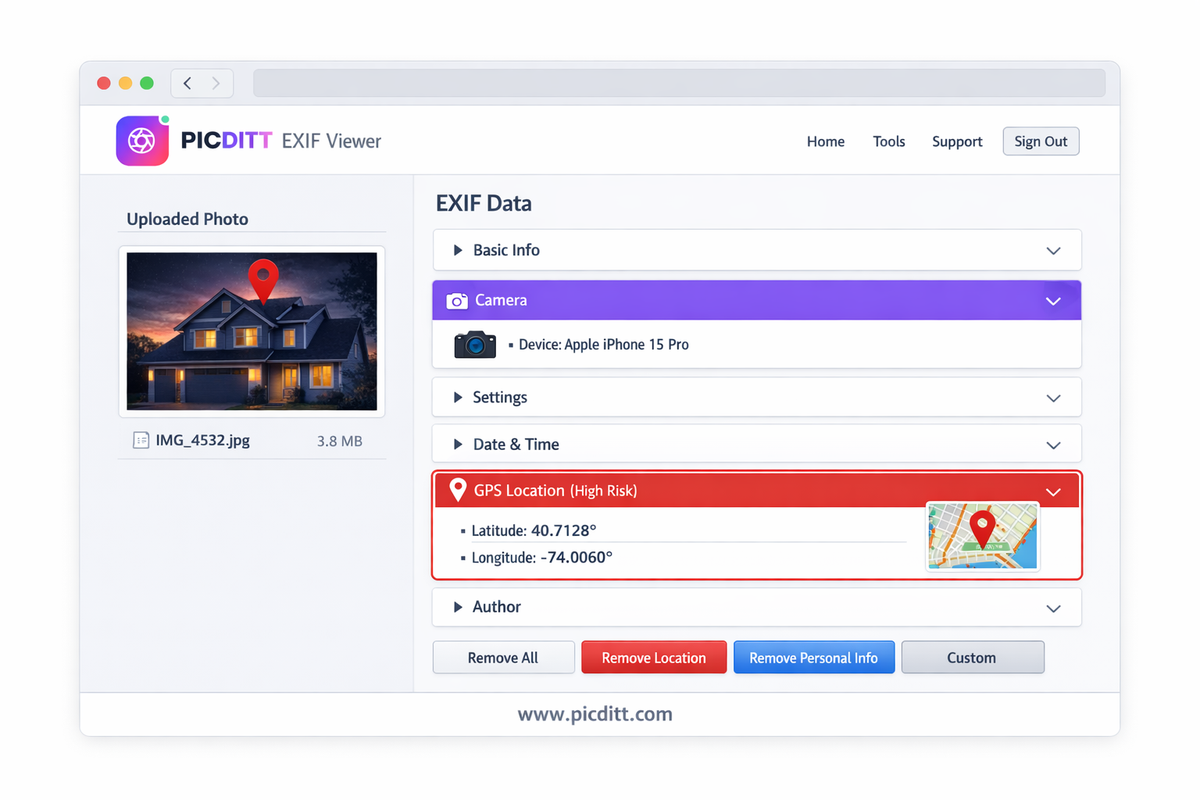
Step 3: The tool instantly analyzes your image and displays all detected metadata organized into six categories:
- Basic Info — file name, size, dimensions
- Camera — make, model, lens, software, serial number
- Settings — aperture, shutter speed, ISO, focal length, flash
- Date & Time — capture date and time, UTC offset
- GPS Location — latitude, longitude, altitude, GPS timestamp
- Author & Copyright — creator information, copyright, comments
Step 4: Review each category. Pay particular attention to the GPS Location section. If coordinates appear here, your photo contains your location data.
Step 5: If GPS coordinates are present, you can click to view them on a map to see exactly what location is recorded — which is often more alarming and concrete than raw coordinate numbers.
Step-by-Step: How to Remove EXIF Data
After viewing your metadata, removing it is simple:
Option A — Remove All Metadata:
Click "Remove All Metadata" to strip every single EXIF field from the image. This is the most thorough privacy protection and recommended for any photo being shared publicly.
Option B — Remove Location Only:
Click "Remove Location" to strip only GPS coordinates while preserving other metadata (useful for photographers who want to keep technical data for portfolio sharing).
Option C — Remove Personal Info:
Strip author name, copyright, and comment fields while keeping technical camera data.
Option D — Custom Selection:
Choose specific categories or individual fields to remove, giving you complete granular control over exactly what metadata remains.
Step 5: Click "Download Clean Image". Your metadata-stripped image downloads instantly to your device, ready to share safely.
The output maintains 95% JPEG quality — visually indistinguishable from the original while completely clean of sensitive metadata.
How to Prevent EXIF Data at the Source
While removing EXIF data before sharing is essential, preventing it from being recorded in the first place adds an extra layer of protection. Here's how to disable geotagging on your device.
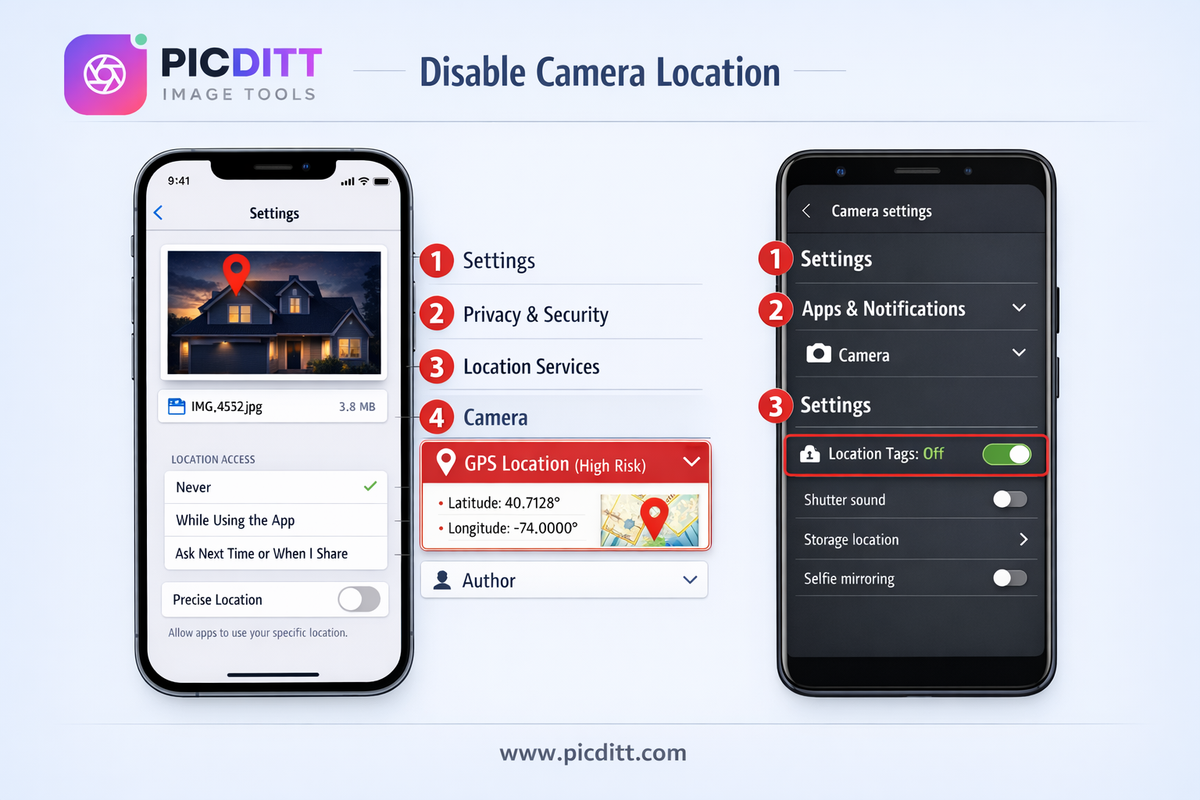
Disable Location on iPhone (iOS)
- Open Settings
- Tap Privacy & Security
- Tap Location Services
- Scroll down and tap Camera
- Select Never
From this point forward, your iPhone camera will not record GPS coordinates in new photos. Note: this setting only affects new photos — existing photos that already contain GPS data are not affected.
Disable Location on Android
The exact steps vary by manufacturer and Android version, but the general process is:
- Open the Camera app
- Tap the Settings icon (gear icon)
- Find Location tags, GPS location, or Save location
- Toggle it Off
Alternatively, you can revoke location permission for the camera app entirely:
- Open Settings
- Tap Apps or Application Manager
- Find and tap Camera
- Tap Permissions
- Tap Location and select Deny
Important Caveats About Disabling Geotagging
Disabling geotagging does not affect existing photos. Any photos already taken with geotagging enabled still contain their GPS data. You need to use the EXIF remover tool on those photos before sharing them.
Some apps override camera settings. Third-party camera apps, Instagram's built-in camera, and other apps that access your camera may have their own location settings independent of the system camera app settings. Check each app individually.
App updates can reset permissions. After a major OS or app update, check your location settings again — some updates reset permissions to their defaults.
The safest habit is to keep location disabled at the OS level AND use the EXIF remover tool before sharing any photo online, regardless of your settings. Defense in depth.
EXIF Data for Photographers: The Legitimate Uses
While this article focuses on the privacy risks of EXIF data, it's important to acknowledge that EXIF data has genuine, valuable uses for photographers and creative professionals.
Learning from Your Own Photos
Reviewing EXIF data is one of the most effective ways to improve your photography. When you capture a shot you're proud of, the EXIF data tells you exactly what settings produced it — the aperture that created the depth of field, the shutter speed that froze or blurred the motion, the ISO that balanced noise and exposure. This feedback loop accelerates learning dramatically.
Organizing Large Photo Libraries
EXIF timestamps allow photo management software to automatically sort and organize large libraries chronologically. GPS data enables geotagged photo libraries where images are organized by location, making it easy to find all photos taken in a specific city or at a specific event.
Copyright Protection and Attribution
Author and copyright fields in EXIF data provide a layer of embedded attribution that travels with the image file. For professional photographers licensing their work, this metadata establishes provenance and authorship even when images are separated from their original context.
Forensic and Legal Applications
EXIF data is used in legal proceedings to establish when and where photos were taken. This can be valuable for insurance claims, legal evidence, and journalism verification. Journalists and fact-checkers use EXIF data to verify the authenticity and origin of photos.
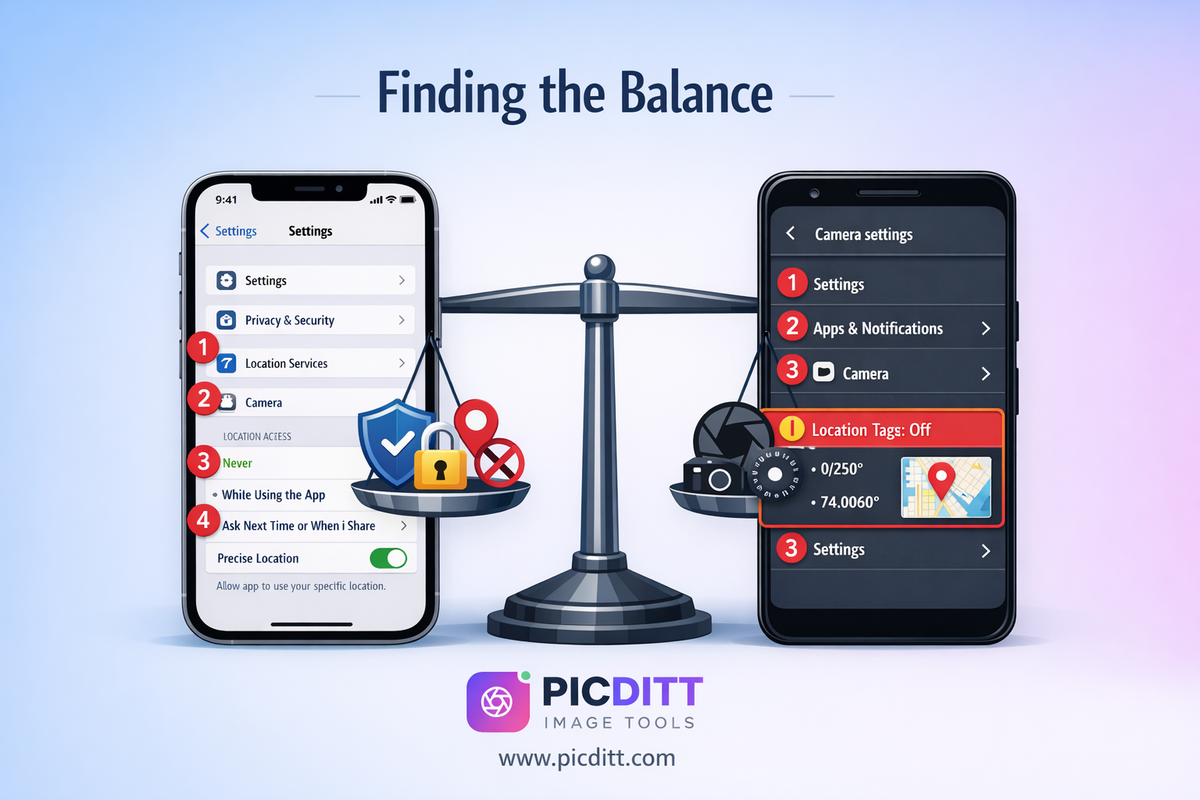
The Balanced Approach
The Picditt EXIF tool's selective removal options allow you to balance privacy with utility. You can strip GPS coordinates and personal information while retaining camera settings and timestamps — protecting your privacy without discarding potentially valuable technical metadata. This nuanced approach serves both everyday users and photography professionals.
Frequently Asked Questions
What does EXIF stand for and what is it?
EXIF stands for Exchangeable Image File Format. It is a standard for embedding metadata — additional hidden information — within image files. This metadata is automatically recorded by digital cameras and smartphones at the moment a photo is taken and includes details about when, where, and how the image was captured, including GPS coordinates, camera model, exposure settings, and timestamps.
Can I see EXIF data without any special software?
Yes. The free Picditt EXIF Viewer lets you view all metadata in any photo directly in your browser with no software installation required. On Windows, you can also right-click any image file, select Properties, and click the Details tab to see basic EXIF information. On Mac, open the photo in Preview and go to Tools → Show Inspector. However, browser-based tools like Picditt show far more complete information including GPS data.
Does Instagram remove EXIF data from my photos?
Instagram removes GPS coordinates from the publicly accessible version of uploaded photos, but the platform retains metadata internally and may use it for advertising and user profiling. Other EXIF fields including timestamps and camera information may persist. Additionally, Meta's data practices may change over time. The safest approach is to remove sensitive EXIF data before uploading to Instagram rather than relying on the platform to handle it.
Is EXIF data removal reversible?
No. Once EXIF data is removed from an image, it cannot be recovered from that file. The original GPS coordinates, timestamps, and other metadata are permanently deleted from the cleaned version. This is why the Picditt tool downloads a new clean copy of your image while leaving your original file untouched — you always retain the original with its full metadata if you need it.
Can EXIF data be faked or edited?
Yes, EXIF data can be manually edited using specialized software. This means EXIF data alone should not be treated as definitive proof of anything — it can be altered. However, for forensic verification, EXIF data is typically analyzed alongside other evidence including file system metadata, hash verification, and platform upload records.
Does removing EXIF data affect image quality?
No. Removing EXIF data does not affect the visual quality of your image in any way. EXIF metadata is stored in a separate section of the image file from the actual pixel data. Stripping the metadata section leaves the image data completely intact. The Picditt tool outputs cleaned images at 95% JPEG quality — visually indistinguishable from the original.
Are PNG and WebP files affected by EXIF privacy risks?
PNG files use a different metadata system but can still store location and camera information. WebP files can also contain EXIF data. The privacy risks are most severe with JPEG files (the format used by most smartphone cameras) because JPEG EXIF is most comprehensive and most widely supported by viewing tools. The Picditt tool supports JPEG, PNG, WebP, and TIFF formats for both viewing and removal.
Does the Picditt EXIF tool upload my photos to a server?
No. All processing happens entirely within your web browser using client-side JavaScript. Your image is loaded into your browser's local memory and never transmitted to any external server. This is critically important for a privacy tool — using an EXIF viewer that uploads your photos to a server would mean sharing your location data with that server, compounding your privacy problem rather than solving it.
Should I remove EXIF data from all my photos before sharing?
For any photo shared publicly or with people you don't fully trust, removing GPS location data at minimum is strongly recommended. For photos shared in professional contexts (portfolios, client work, photography communities), you may want to retain technical settings while removing location and personal information. The Picditt tool's selective removal options let you make this distinction easily.
How do I know if my photos currently contain GPS data?
Upload any photo to the Picditt EXIF Viewer and check the GPS Location category. If latitude and longitude values appear, your photo contains GPS coordinates. You can also check your smartphone camera settings to see if location services are currently enabled for the camera app. If they are, every photo you've taken with that setting active contains GPS data.
Final Thoughts: Take Control of Your Photo Privacy
Most people share photos every day without knowing they're also sharing their home address, their daily schedule, the exact model of their phone, and a precise record of everywhere they've been.
EXIF data isn't a bug or a conspiracy — it was designed with good intentions for legitimate purposes. But in a world where photos travel instantly across platforms and into the hands of strangers, the privacy implications of this invisible embedded data are serious and real.
The solution is straightforward. Take two minutes before sharing any photo online. Use the free Picditt EXIF Viewer & Remover to check what your photo contains and strip whatever you're not comfortable sharing. The tool is free, private, processes everything in your browser, takes under a second, and produces a visually identical clean image ready to share safely.
Your photos should show only what you choose to show. Not where you live. Not when you're away from home. Not what device you use. Not everything else that's been silently recorded without your awareness.
Take control of your photo privacy today.
View and Remove Your Photo's Hidden Data Free →
Ready to Try It Yourself?
Use this tool for free — no signup, no download, no watermarks.
Open Free ToolYou Might Also Like
How to Convert PDF to High-Resolution JPG, PNG, or WebP Instantly
Need to post a PDF on social media or embed it on a website? Learn how to instantly convert your PDF documents into high-quality JPG, PNG, or WebP images using Picditt's free online converter. All processing happens securely in your browser — your files never leave your device.
Read More →
Stop Printing Excel on Two Pages: The Ultimate Fit to One Page Print Fixer Guide
Fix Excel printing issues and stop spreadsheets from splitting across pages. Learn how to fit everything on one page instantly using a free online tool.
Read More →