Secure XLSX to CSV Conversion Online — No Upload, No Data Leak
Secure XLSX to CSV Conversion Online — No Upload, No Data Leak
You have a spreadsheet full of customer data, financial records, or product inventory that needs to go into a database, CRM platform, or data analysis tool. The problem? Your data is locked inside a Microsoft Excel .xlsx file, and the system you need to import it into only accepts CSV.
So you search for "convert XLSX to CSV online" and find dozens of free converter websites. You upload your file, wait for it to process on their server, and download the result. Simple, right?
Not so fast.
What just happened to your data? Your Excel file — potentially containing customer names, email addresses, financial figures, employee records, or proprietary business data — was just uploaded to a stranger's server in a data center somewhere in the world. You have no idea who has access to it, how long they keep it, or whether it gets properly deleted.
This is the hidden danger of most online file converters that very few people think about. And it is especially alarming when you consider that sensitive information in spreadsheets is not just common — it is the norm. Almost every Excel file in a business context contains data that should not be floating around on third-party servers.
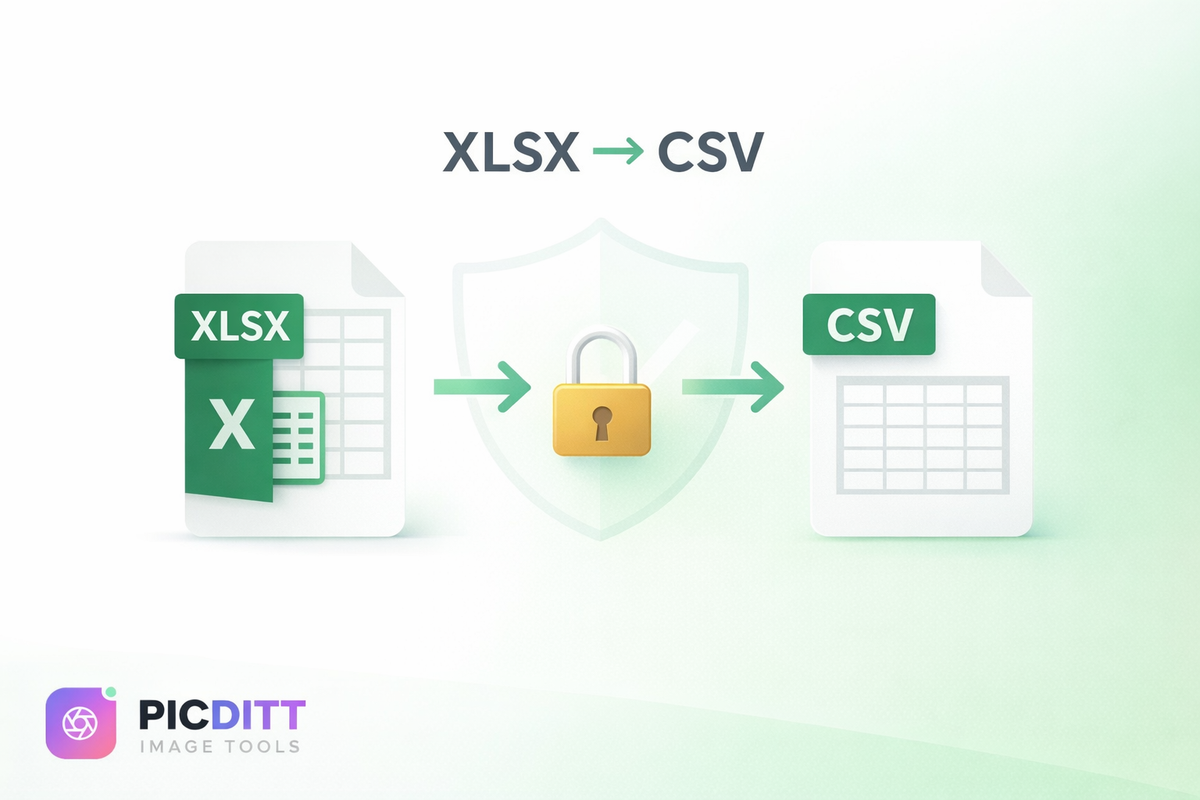
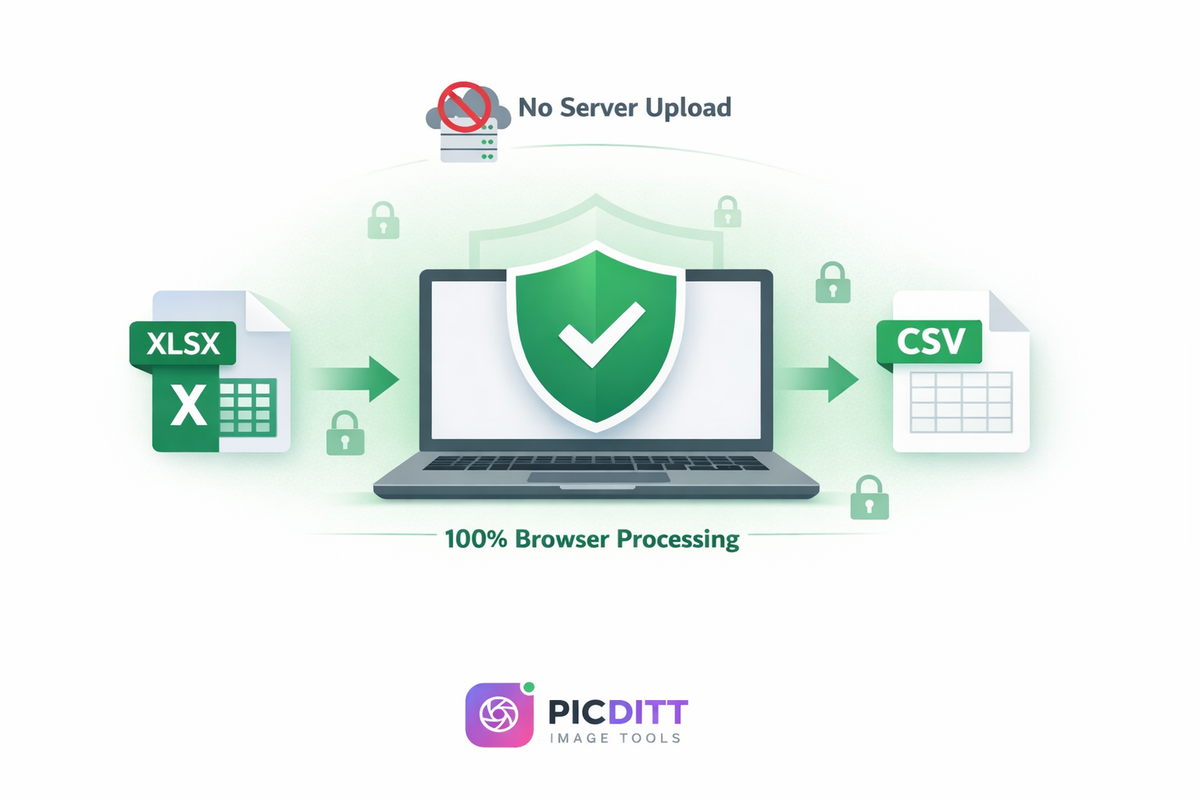
There is a better way. Picditt's XLSX to CSV Converter processes your files entirely in your browser. Your Excel file never leaves your device. No upload, no server processing, no data leak. In this guide, you will learn everything about converting Excel to CSV — when to do it, how to do it safely, and how to get perfect results every time.
Why Would You Need to Convert Excel to CSV?
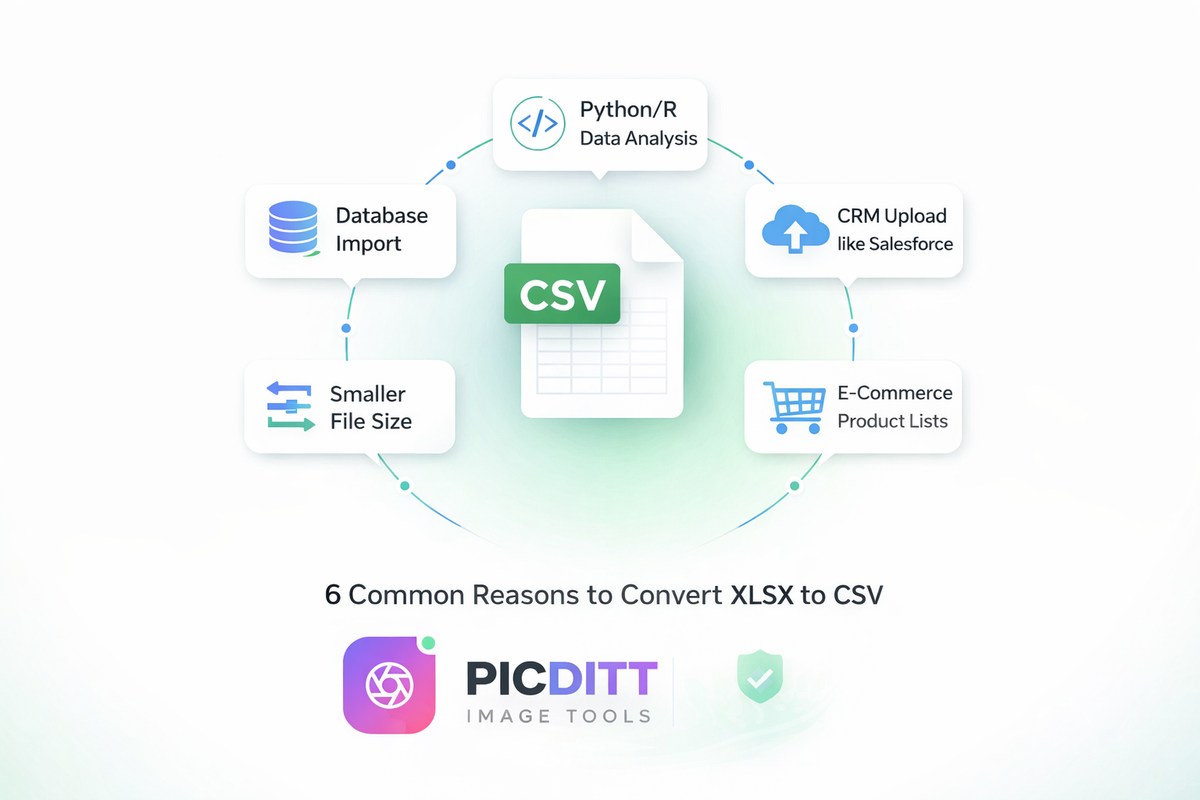
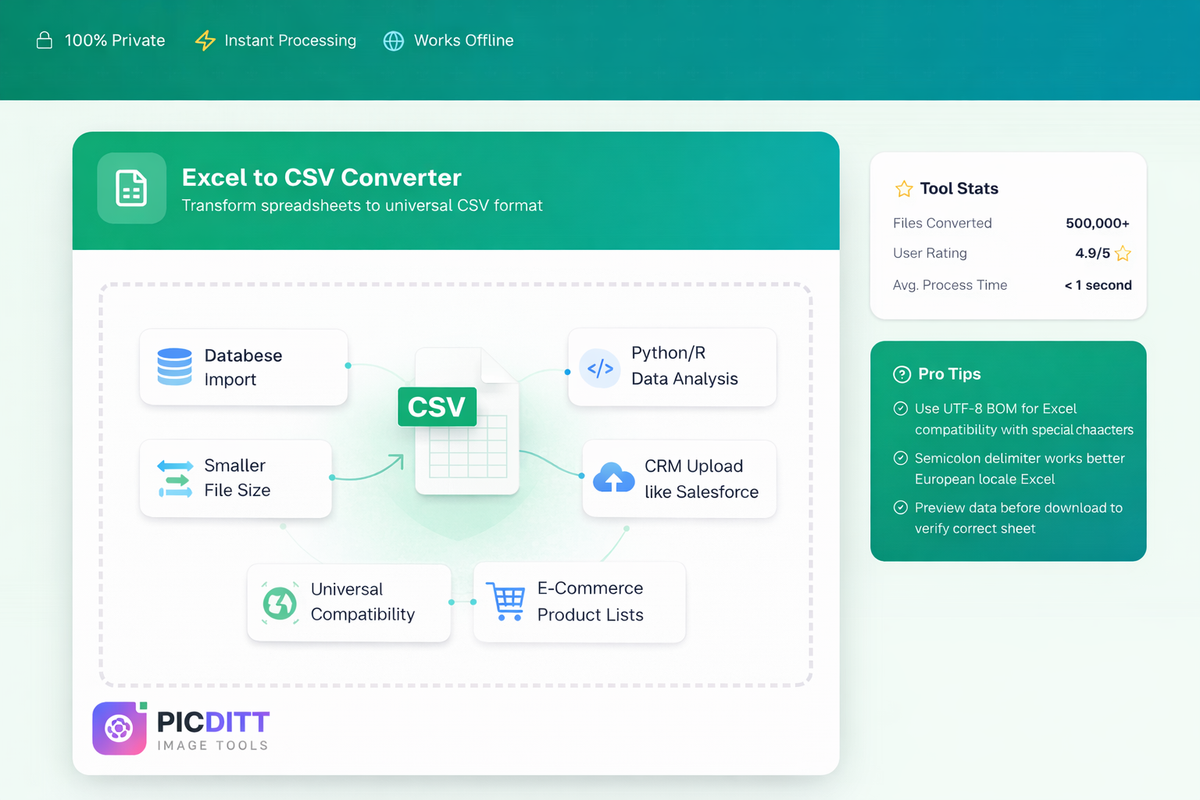
Before diving into the how, let us understand the why. CSV (Comma-Separated Values) is arguably the most universally compatible data format in existence. While Excel's XLSX format is powerful and feature-rich, there are many situations where CSV is required or preferred.
Database Imports
If you work with databases — MySQL, PostgreSQL, SQLite, MongoDB, or any other system — you know that CSV is the standard format for bulk data imports. Most database management tools have built-in CSV import functionality, but very few can directly import XLSX files. Converting your spreadsheet to CSV is often the first step in any database migration or data loading process.
Data Analysis with Python and R
Data scientists and analysts working with Python's pandas library, R, or other statistical tools overwhelmingly prefer CSV files. While these languages can read Excel files with additional libraries, CSV is faster to load, simpler to parse, and does not carry the overhead of Excel's formatting and metadata. A typical workflow involves converting XLSX to CSV before running analysis scripts.
CRM and Marketing Platform Uploads
Platforms like Salesforce, HubSpot, Mailchimp, Zoho, and dozens of other CRM and marketing tools use CSV as their primary import format. When you need to upload a contact list, lead database, or email campaign list, you almost always need a CSV file. Your marketing team's Excel spreadsheet needs to become a CSV before it can be imported.
E-Commerce Product Management
If you sell products on Shopify, WooCommerce, Amazon Seller Central, eBay, or Etsy, you know that product catalog management relies heavily on CSV files. Bulk product uploads, inventory updates, price changes, and category assignments are all done through CSV imports. Converting your product spreadsheets from Excel to CSV is a daily task for many online sellers.
Legacy System Compatibility
Older software systems, proprietary applications, and embedded systems often only accept plain text formats. CSV, being essentially a plain text file, works with virtually any system built in the last 40 years. XLSX files, on the other hand, require modern libraries to parse.
Smaller File Sizes for Data Transfer
CSV files are dramatically smaller than their Excel equivalents. An XLSX file that is 5MB might produce a CSV file of only 500KB — a 10x reduction. This matters when you are transferring data via email, uploading to bandwidth-limited systems, or working with very large datasets.
XLSX vs CSV: Understanding the Key Differences
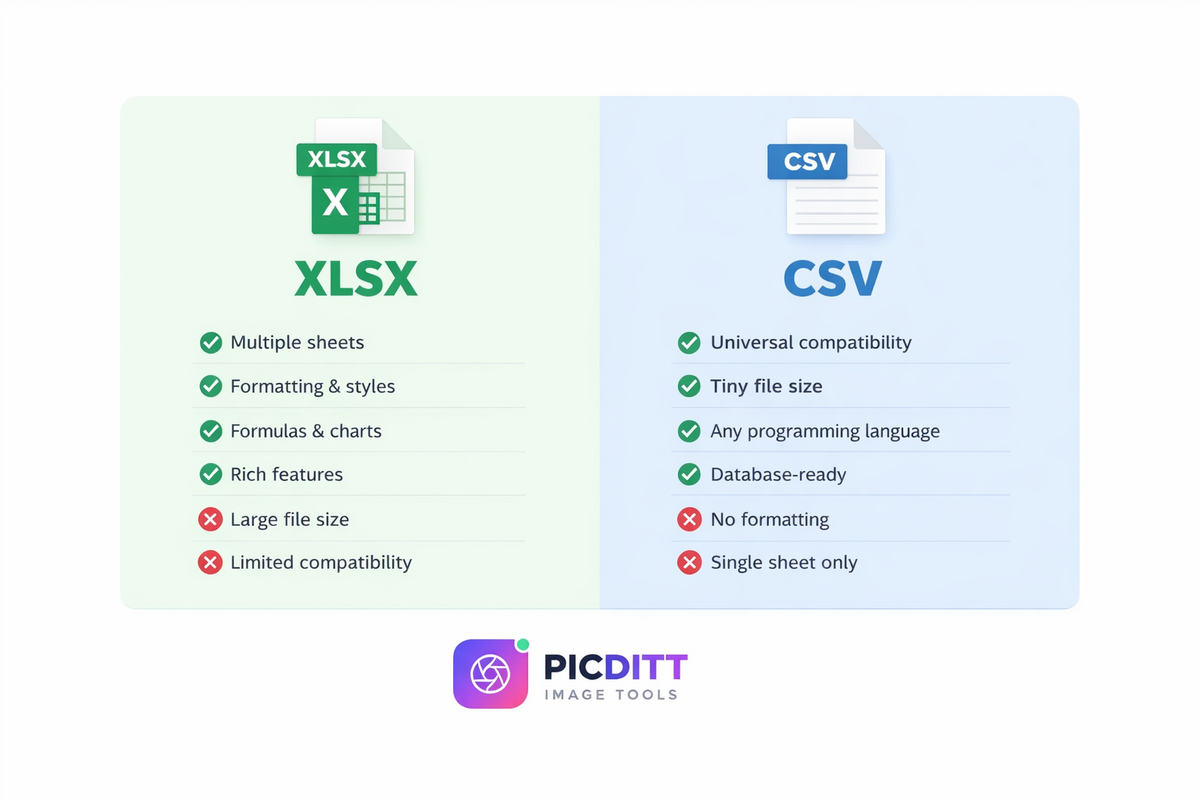
To make the best decision about when to convert and when to keep your Excel format, it helps to understand what each format actually is and what it can (and cannot) do.
What Is XLSX?
XLSX is Microsoft Excel's default file format since Office 2007. Technically, an XLSX file is a ZIP archive containing multiple XML files that store your data along with formatting, formulas, charts, images, pivot tables, macros, and other Excel features. This makes XLSX files powerful but also:
- Larger in file size (compression helps, but all that metadata adds up)
- Dependent on Excel-compatible software to open properly
- Complex to parse programmatically (requires specialized libraries)
- Capable of storing multiple sheets in a single file
What Is CSV?
CSV is one of the simplest data formats in existence. It is a plain text file where each line represents a row of data and values within each row are separated by a delimiter (usually a comma). This simplicity is both its greatest strength and its limitation:
- Universal compatibility — any text editor, spreadsheet app, database, or programming language can read it
- Tiny file size — contains only raw data with zero overhead
- Easy to parse — even a basic script can read and process CSV data
- No formatting — no colors, fonts, styles, or cell formatting
- No formulas — only stores the calculated values, not the formulas themselves
- Single sheet only — each CSV file contains one table of data
Quick Comparison Table
Feature
XLSX
CSV
Multiple sheets
✅ Yes
❌ No (one table per file)
Cell formatting
✅ Colors, fonts, borders
❌ None
Formulas
✅ Full formula support
❌ Values only
Charts and images
✅ Yes
❌ No
File size
📦 Larger
📄 Much smaller
Universal compatibility
⚠️ Limited
✅ Works everywhere
Database import
⚠️ Requires conversion
✅ Direct import
Programming languages
⚠️ Needs special libraries
✅ Native support
Human readable
⚠️ Needs Excel/similar
✅ Any text editor
Bottom line: Use XLSX when you need Excel's features (formatting, formulas, charts). Use CSV when you need maximum compatibility, minimum file size, or data import/export functionality.
How to Convert XLSX to CSV Using Picditt (Step-by-Step)
Converting your Excel file to CSV with Picditt's converter is fast, safe, and straightforward. Here is exactly how to do it:
Step 1: Open the Picditt XLSX to CSV Converter
Go to https://picditt.com/conversion/xlsx-to-csv in any web browser. The tool works on Chrome, Firefox, Safari, Edge, and Opera — on desktop, tablet, or mobile.
Step 2: Upload Your Excel File
You have two options:
- Drag and drop your
.xlsxor.xlsfile directly onto the upload area - Click "Browse" to select the file from your computer
The tool supports both modern Excel files (.xlsx) and legacy Excel 97-2003 files (.xls). There is no practical file size limit — the tool processes whatever your browser's memory can handle.
Step 3: Choose Your Sheet and Configure Options
If your Excel workbook contains multiple sheets, you will see a dropdown to select which sheet you want to convert. This is a critical feature because most Excel files have more than one sheet, and you usually need to convert them individually.
Next, configure your output options:
- Delimiter: Choose between comma, semicolon, tab, or pipe (more on this below)
- Encoding: Select UTF-8, UTF-8 with BOM, or ASCII
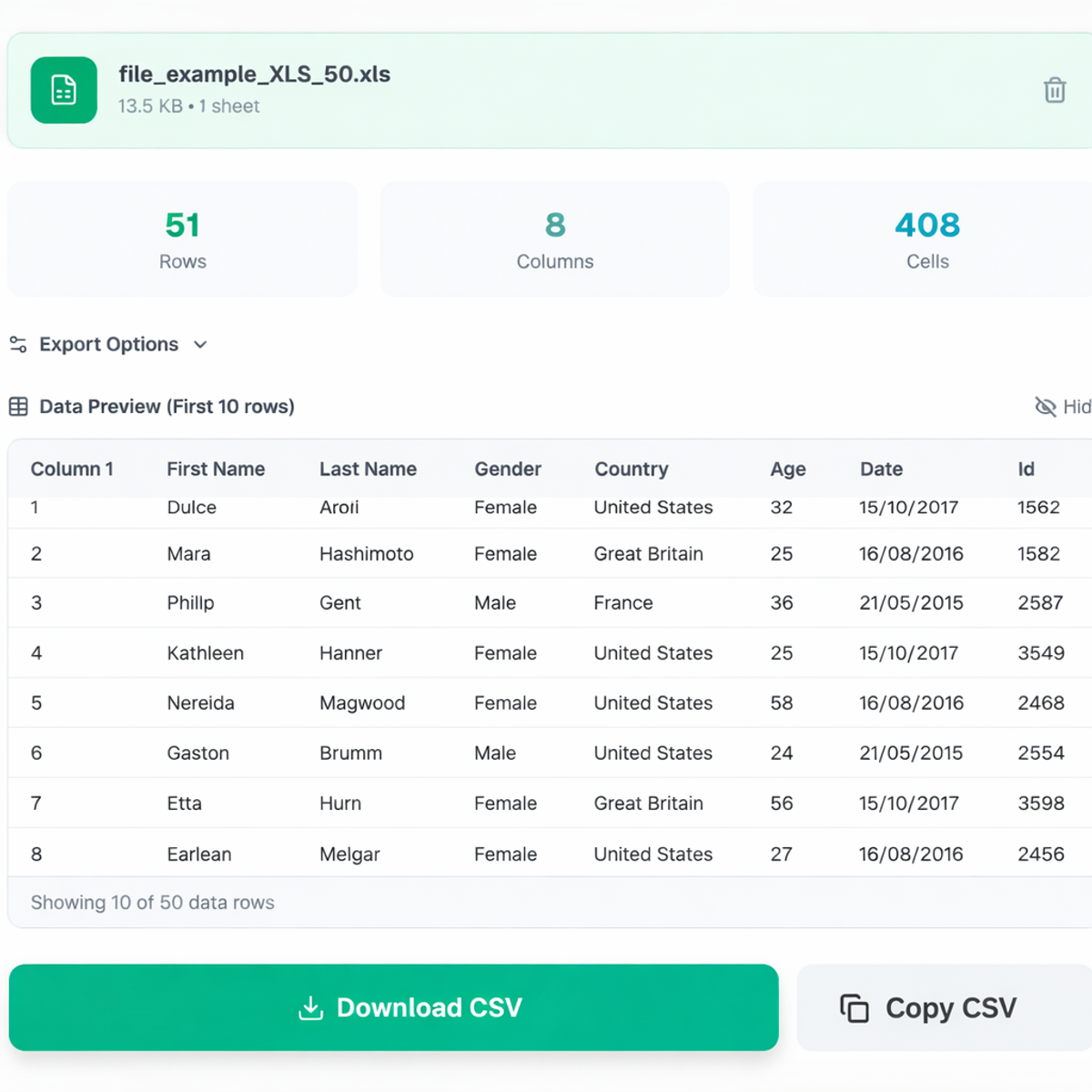
Step 4: Preview Your Data
Before downloading, the tool shows a live preview of your converted data. This lets you:
- Verify the correct sheet was selected
- Check that the delimiter is working properly
- Confirm no data is missing or corrupted
- Catch any issues before downloading
Step 5: Download Your CSV File
Click the download button and your CSV file is ready instantly. There is no processing delay because everything happens locally in your browser. The file downloads directly to your computer — clean, formatted, and ready to import into whatever system needs it.
Understanding Delimiters: Comma, Semicolon, Tab, and Pipe
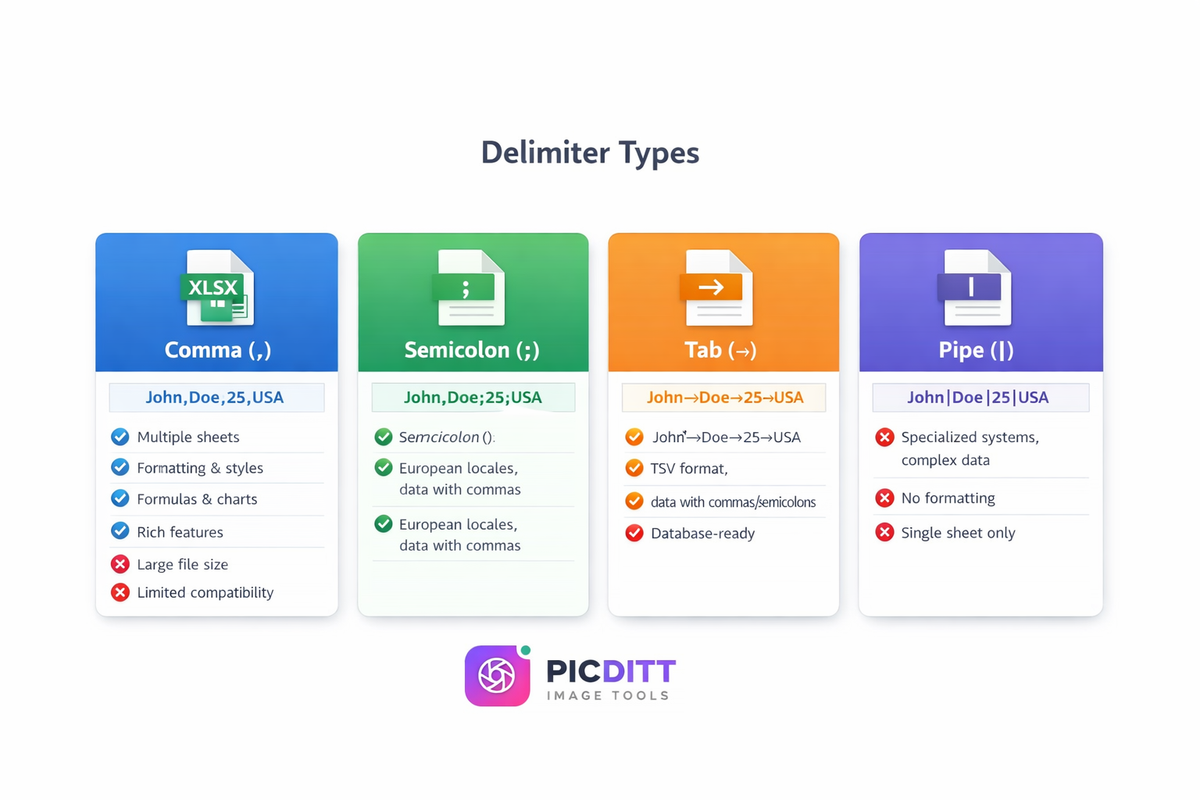
One of the most misunderstood aspects of CSV files is the delimiter — the character that separates values in each row. Choosing the wrong delimiter can break your data import. Here is what you need to know:
Comma (,) — The Standard
The comma is the default CSV delimiter and the most universally supported option. When someone says "CSV file," they almost always mean comma-separated.
Use comma when:
- Importing into databases (MySQL, PostgreSQL, etc.)
- Uploading to CRM platforms (Salesforce, HubSpot)
- Working with programming languages (Python, R, JavaScript)
- Your data does NOT contain commas within cell values
Example: John,Doe,john@email.com,New York,25
Semicolon (;) — The European Standard
In many European countries (Germany, France, Italy, Netherlands, Brazil), the comma is used as a decimal separator (e.g., 3,14 instead of 3.14). This creates a conflict with comma-delimited CSV files because the system cannot distinguish between a decimal comma and a delimiter comma.
The solution is to use a semicolon as the delimiter instead.
Use semicolon when:
- Your computer or target system uses European locale settings
- You plan to reopen the CSV in Excel on a European-configured computer
- Your data contains numbers with comma decimal separators
- Excel is showing all your data in one column after opening a comma-separated CSV
Example: John;Doe;john@email.com;New York;25
Tab — The TSV Format
Tab-separated values (TSV) use the tab character as a delimiter. This is useful when your data contains both commas and semicolons within cell values.
Use tab when:
- Your data contains commas and semicolons in cell values
- Importing into systems that specifically require TSV format
- Working with text-heavy data where other delimiters might appear in the content
Pipe (|) — The Specialized Option
The pipe character is rarely found in natural text, making it a safe delimiter for complex data that might contain commas, semicolons, and tabs.
Use pipe when:
- Working with specialized systems that require pipe-delimited files
- Your data is very complex with multiple types of special characters
- Standard delimiters are causing parsing issues
Understanding Encoding: UTF-8, UTF-8 BOM, and ASCII
Encoding determines how characters are stored in your CSV file. This is especially important if your data contains non-English characters, accents, symbols, or special characters.
UTF-8 — The Universal Standard
UTF-8 is the most widely used encoding in the world and supports every language and character set — English, Chinese, Arabic, Hindi, Japanese, Korean, emoji, and everything in between.
Use UTF-8 when:
- Importing into databases, APIs, or web applications
- Working with Python, R, or other programming languages
- Your data needs to support multiple languages
UTF-8 with BOM (Byte Order Mark)
UTF-8 with BOM adds a special invisible marker at the beginning of the file that tells software "this file is UTF-8 encoded." This is particularly important for Microsoft Excel compatibility.
Use UTF-8 with BOM when:
- You plan to reopen the CSV file in Microsoft Excel
- Your data contains special characters (accents, umlauts, currency symbols)
- Excel is showing garbled characters (like é instead of é) when opening your CSV
This is one of the most common CSV problems people encounter, and UTF-8 BOM is almost always the fix.
ASCII — The Legacy Option
ASCII encoding only supports basic English characters (letters, numbers, and common symbols). It does not support accented characters, non-Latin scripts, or special symbols.
Use ASCII only when:
- Working with very old legacy systems that do not support UTF-8
- Your data contains exclusively basic English text
- System requirements specifically mandate ASCII encoding
Is It Safe to Convert Excel Files Online?
This is the most critical question, and the answer depends entirely on which tool you use.
The Problem with Most Online Converters
The vast majority of "free XLSX to CSV converters" work by:
- Uploading your Excel file to their server
- Processing the conversion on their server
- Storing the result temporarily (or sometimes permanently)
- Allowing you to download the converted file
During this process, your data — which might contain customer emails, financial records, employee information, passwords, API keys, or proprietary business data — sits on someone else's server. You are trusting a website you found five minutes ago with potentially sensitive information.
Even if these services promise to delete your file after processing, you have no way to verify this claim. Data breaches at cloud services happen regularly, and your uploaded spreadsheet could be exposed.
How Picditt Is Different
Picditt's XLSX to CSV Converter takes a fundamentally different approach. The conversion happens entirely in your web browser using client-side JavaScript processing.
Here is what this means in practice:
- ✅ Your file never leaves your device — it is not uploaded anywhere
- ✅ No server processes your data — your computer's processor does all the work
- ✅ No data is stored anywhere — close the tab and everything is gone
- ✅ Works offline — once the page loads, you can disconnect from the internet and still convert files
- ✅ No account or sign-up required — no personal information needed
This makes it safe for converting:
- 📧 Customer databases with email addresses and personal information
- 💰 Financial spreadsheets with revenue, salary, or transaction data
- 👥 Employee records with sensitive HR information
- 🔑 Configuration files with API keys or credentials
- 📊 Proprietary business data and trade information
- 🏥 Healthcare data requiring HIPAA-level privacy
Common XLSX to CSV Conversion Problems (And How to Solve Them)
Even with a great tool, there are some common issues you might encounter when converting Excel to CSV. Here is how to handle each one:
Problem 1: Excel Shows All Data in One Column After Opening CSV
This is the most common complaint. You open your CSV file in Excel and instead of data spreading across multiple columns, everything is crammed into column A.
Solution: This usually means Excel does not recognize your delimiter. Two fixes:
- Use semicolon delimiter if you are on a European locale system
- Use UTF-8 with BOM encoding when converting
- In Excel, use Data → Text to Columns to split the data manually
Problem 2: Special Characters Show as Garbled Text
Characters like é, ü, ñ, ¥, or € appear as random symbols (like é or €) when you open the CSV.
Solution: Always use UTF-8 with BOM encoding when your data contains any non-English characters. The BOM marker tells Excel exactly how to interpret the character encoding.
Problem 3: Numbers Lose Leading Zeros
Phone numbers like "0044123456" become "44123456" or ZIP codes like "01234" become "1234" when opened in Excel.
Solution: This is actually an Excel problem, not a CSV problem. Excel automatically converts text that looks like numbers. To prevent this, open the CSV using Excel's Data → Import function instead of double-clicking, and set those columns to "Text" format during import.
Problem 4: Dates Change Format
Dates stored as "03/04/2026" might become "March 4, 2026" or "4/3/2026" or even a random number when opened in different locales.
Solution: Before converting, ensure your dates in Excel are stored in ISO format (YYYY-MM-DD) — for example, "2026-03-04." This format is unambiguous and universally recognized across all systems.
Problem 5: Commas in Data Break the CSV Structure
If a cell contains "New York, USA" and you use comma as a delimiter, the CSV might incorrectly split "New York" and "USA" into separate columns.
Solution: Picditt's converter handles this automatically by wrapping values containing commas in quotation marks. If you are still having issues, switch to semicolon or tab delimiter to avoid the conflict entirely.
Problem 6: Multi-Sheet Workbook
Your Excel file has 5 sheets but CSV only supports one sheet per file.
Solution: Use Picditt's sheet selector to choose which sheet to convert. Convert each sheet individually and download them as separate CSV files. This gives you full control over which data goes where.
Who Needs XLSX to CSV Conversion?
👨💻 Developers and Engineers
You are building an application that needs to import data from a client's Excel spreadsheet. Your code reads CSV natively but parsing XLSX requires installing heavy libraries. Converting to CSV first simplifies your entire data pipeline.
📊 Data Analysts and Scientists
Your analysis workflow runs on Python pandas or R. While both can read Excel files, CSV imports are faster, more reliable, and avoid dependency issues with Excel parsing libraries. Converting XLSX to CSV is the clean first step.
📈 Marketing Professionals
You need to import 10,000 contacts from a spreadsheet into Mailchimp, HubSpot, or Salesforce. These platforms want CSV. Your contact list is in Excel. The conversion takes 5 seconds with Picditt.
🛒 E-Commerce Sellers
Your product catalog lives in Excel but Shopify, WooCommerce, and Amazon need CSV for bulk uploads. Every time you update prices, add products, or change inventory, you need a fresh CSV export.
💼 Business Administrators
You manage data across multiple systems — HR software, accounting tools, inventory management, CRM. Data moves between these systems in CSV format. Your source data almost always starts in Excel.
🎓 Students and Researchers
Your survey data is in Excel but your statistics software (SPSS, Stata, R) works better with CSV. Or you need to submit data in CSV format for a class project or research publication.
Other Picditt Tools for Spreadsheet and Document Work
If you work with spreadsheets regularly, you will find these other Picditt tools incredibly useful:
- CSV to XLSX Converter — Convert CSV files back to Excel format with proper formatting
- Excel Print Fixer — Fix Excel printing problems and export to perfectly formatted PDF
- Text to Excel — Convert messy text data into organized Excel spreadsheets
- Image to Excel OCR — Extract table data from images and screenshots into Excel
- Image to Word OCR — Convert images containing text into editable Word documents
- PDF to Excel — Extract tables from PDF files into Excel spreadsheets
- Merge PDF — Combine multiple PDF files into one document
All tools process locally in your browser with complete privacy — just like the XLSX to CSV converter.
Pro Tips for Perfect XLSX to CSV Conversion
Tip 1: Clean Your Data Before Converting
Remove merged cells, empty rows, and unnecessary formatting from your Excel file before converting. Merged cells in particular can cause unexpected results in CSV because CSV has no concept of merged cells — each cell is independent.
Tip 2: Use UTF-8 BOM for Excel Compatibility
If you or anyone else will reopen the CSV file in Microsoft Excel, always choose UTF-8 with BOM encoding. This prevents the infamous garbled character problem and ensures special characters display correctly.
Tip 3: Choose the Right Delimiter for Your Region
If you are in North America, UK, or most Asian countries, use comma. If you are in Germany, France, Italy, Netherlands, Brazil, or other countries that use comma as a decimal separator, use semicolon.
Tip 4: Always Preview Before Downloading
Picditt's preview feature exists for a reason — use it. A quick glance at the preview can catch issues like wrong sheet selection, incorrect delimiter, or missing data before you download and import into your target system.
Tip 5: Check for Formulas Before Converting
CSV stores values, not formulas. If your spreadsheet has formula cells showing #REF!, #N/A, or #VALUE! errors, those error messages will be stored in the CSV as text. Fix formulas in Excel first before converting.
Tip 6: Handle Multiple Sheets One at a Time
If your workbook has multiple sheets, convert each sheet to a separate CSV file. Name the files clearly (e.g., customers_2026.csv, orders_2026.csv, products_2026.csv) so you know which is which.
Tip 7: Bookmark the Tool
Since Picditt's XLSX to CSV converter works offline after loading, bookmark it. Next time you need to convert, it will load instantly — even without an internet connection.
Frequently Asked Questions (FAQ)
What is the difference between XLSX and CSV?
XLSX is Microsoft Excel's format that stores data along with formatting, formulas, charts, images, and multiple sheets in a compressed file. CSV (Comma-Separated Values) is a plain text format that stores only raw data with values separated by a delimiter. CSV is universally compatible with virtually every system, while XLSX requires Excel-compatible software. Use XLSX for working within Excel and CSV for data exchange between different systems.
How do I convert an Excel file to CSV for free?
The easiest and safest way is to use Picditt's free XLSX to CSV converter. Upload your Excel file, choose your sheet and delimiter settings, preview the data, and download your CSV instantly. All processing happens in your browser — your file is never uploaded to any server.
Why does my CSV file look wrong when I open it in Excel?
This is usually caused by one of two issues. First, Excel might not recognize the delimiter — try using semicolon delimiter if you are on a European locale system. Second, special characters might appear garbled — use UTF-8 with BOM encoding when converting to fix this. You can also use Excel's Data → Import function instead of double-clicking the CSV for more control over how the data is parsed.
Is it safe to convert XLSX to CSV online?
Most online converters upload your file to their servers, which poses privacy risks for sensitive data. Picditt is different — all processing happens locally in your browser using client-side JavaScript. Your file never leaves your device, making it completely safe for confidential business data, financial records, and personal information.
Can I convert an Excel file with multiple sheets to CSV?
Yes, but with an important caveat: CSV format only supports one sheet per file. When you upload a multi-sheet Excel workbook to Picditt's converter, you can select which sheet to convert using the dropdown menu. To convert all sheets, simply repeat the process for each sheet, downloading each as a separate CSV file.
What delimiter should I use for my CSV file?
Use comma if you are in North America, UK, or most Asian countries. Use semicolon if you are in European countries that use comma as a decimal separator (Germany, France, Italy, etc.). Use tab if your data contains both commas and semicolons. Use pipe only for specialized systems that specifically require it.
Why does Excel remove leading zeros from my CSV data?
This is an Excel behavior, not a CSV problem. When Excel opens a CSV, it automatically converts text that looks like numbers, stripping leading zeros from values like phone numbers (0044123456 becomes 44123456) and ZIP codes (01234 becomes 1234). To prevent this, open the CSV using Excel's Data → Import function and set those columns to "Text" format during import.
Does the converter work offline?
Yes. Once the Picditt XLSX to CSV converter page has loaded in your browser, it works completely offline. You can disconnect from the internet and still convert files because all processing happens locally using your computer's processor — no server connection is needed.
What is UTF-8 with BOM and when should I use it?
UTF-8 with BOM (Byte Order Mark) adds an invisible marker at the beginning of the file that tells software the file is UTF-8 encoded. Use it when you plan to open the CSV in Microsoft Excel, especially if your data contains special characters like accents (é, ü, ñ), currency symbols (€, ¥, £), or non-Latin scripts. Without BOM, Excel might display these characters as garbled text.
What is the maximum file size I can convert?
Picditt's XLSX to CSV converter has no arbitrary file size limit. Since processing happens in your browser, the maximum file size depends on your device's available memory. Most modern computers can handle files up to 100MB or larger without any issues. The average conversion takes less than 1 second.
Conclusion
Converting Excel spreadsheets to CSV should be simple, fast, and safe. Unfortunately, most online converters require you to upload your sensitive data to unknown servers — creating privacy risks that most people never think about.
Picditt's free XLSX to CSV Converter solves this problem by processing everything locally in your browser:
- ✅ 100% Private — your files never leave your device
- ✅ Instant conversion — no upload delays or processing queues
- ✅ Multi-sheet support — convert any sheet from your workbook
- ✅ Custom delimiters — comma, semicolon, tab, or pipe
- ✅ Encoding options — UTF-8, UTF-8 with BOM, or ASCII
- ✅ Live data preview — verify your output before downloading
- ✅ Works offline — no internet needed after page loads
- ✅ Free forever — no limits, no sign-up, no watermarks
Whether you are importing data into a database, uploading contacts to a CRM, feeding data into a Python script, or managing an e-commerce product catalog — the conversion starts here.
Try Picditt's Free XLSX to CSV Converter →
Ready to Try It Yourself?
Use this tool for free — no signup, no download, no watermarks.
Open Free ToolYou Might Also Like
Stop Struggling with Excel Print Settings: How to Fix and Export Spreadsheets to Perfect PDF
Tired of Excel cutting off columns, splitting data across pages, or printing text too small to read? Picditt's free Excel Print Fixer automatically detects and fixes all common printing problems, then exports your spreadsheet to a perfectly formatted PDF — all in your browser, 100% private.
Read More →
How to Convert Image to Word Online (Free OCR Tool) – Step-by-Step Guide
Learn how to convert images, scanned documents, and photos of text into fully editable Word files using PicDitt’s free, browser-based Image to Word OCR tool. This step-by-step guide covers how OCR works, how to use the tool, and how to get the best accuracy.
Read More →