Remove Objects for Free: The Unlimited “Magic Eraser” Alternative (Real Talk)

Advertisement
Introduction
You know the moment. You take a photo that’s almost perfect… and then you notice it. A trash can in the background. A stain on your shirt. A pimple that showed up right before you took the selfie.
Most “magic eraser” tools fix this, but then hit you with a paywall: credits, watermarks, or subscriptions.
PicDitt Magic Eraser is different: a free, unlimited, browser-based tool for quick cleanups that doesn’t make you create an account.
What Is PicDitt Magic Eraser?
It’s a "smart healing" tool. When you paint over an unwanted object, it looks at the pixels around the marked area and fills the gap using nearby colors and textures.
Honest Comparison: What It’s Great At
Let’s set expectations correctly.
Best for (PicDitt shines here):
- Skin blemishes: Pimples, small marks.
- Dust spots: Sensor specks on product photos.
- Text on plain backgrounds: Removing dates or watermarks.
- Small objects: Wires in the sky, crumbs on a table.
Not for:
- Removing a full person from a complex crowd.
- Rebuilding complex backgrounds (like brick walls).
Why use PicDitt? Because it hits the sweet spot of free, fast, unlimited, and private.
How to Use It (Without Wasting Time)
Go here: https://picditt.com/editing/magic-eraser
Step 1: Upload and Go Small
Treat the brush like a precision tool, not a paint roller. Small brush strokes work best.
Step 2: Adjust Brush Size
Set the brush size so it’s just slightly larger than the thing you want to remove.
- Pimples/Dust: Tiny brush.
- Stains: Medium brush.
Step 3: Paint Over the Object
Cover the object, but avoid swallowing the surrounding area. Paint only what you want gone.
Step 4: Click “Remove Object”
If the first result is close but not perfect, click it again. Multiple passes often blend better than one huge attempt.
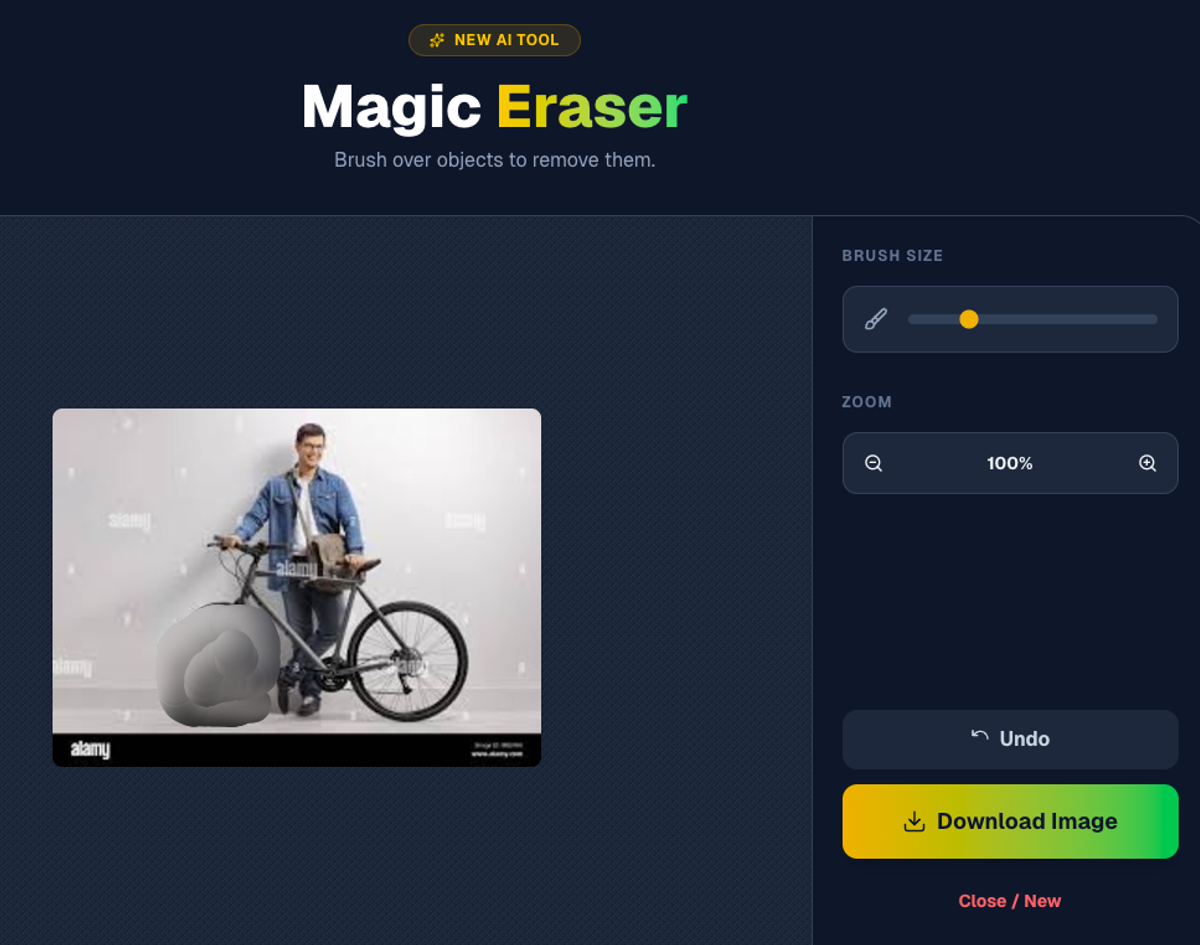
Brush over unwanted objects to remove them instantly.
Real Use Cases
- Real Estate: Remove power outlets or wall scuffs from listing photos.
- E-commerce: Clean up dust specks on white backgrounds.
- Selfies: Remove a stray hair or blemish without heavy filters.
Privacy: No AI Training
A lot of AI tools upload your images to servers. That can be uncomfortable if you’re editing private photos.
PicDitt runs in the browser. Your edits are performed locally on your device. Your photo is not sent to a remote server for processing.
Conclusion
PicDitt Magic Eraser is the perfect tool for the small edits you run into constantly.
If you need to remove dust, blemishes, or small objects, bookmark this: PicDitt Magic Eraser.
Next time a perfect photo is ruined by one annoying detail, you won’t need credits or Photoshop. Just erase it and move on.