Protect Your Listings: How to Watermark Real Estate Photos Quickly (Free & Professional)

Advertisement
Introduction
Real estate photos are valuable. They generate leads, build trust, and help you win listings. They’re also easy to steal.
If you’ve been in real estate for more than five minutes, you’ve heard about it: rental scams. Someone grabs clean photos, posts a fake rental ad, and disappears with deposits.
Watermarking won’t stop every scammer—but it stops the lazy theft.
This guide shows how to watermark real estate photos professionally using PicDitt Watermark. No Photoshop. No subscriptions.
The Scam Problem
Rental scams thrive on believability. A scam listing with crisp photos looks real.
Here’s the common pattern:
- A property is listed for sale.
- Someone copies the photos.
- They repost it as a “too good to be true” rental.
Watermarking changes the math. It makes the photos harder to reuse cleanly and adds your brand directly onto the image.
What Makes a “Professional” Watermark?
1. Placement
- Bottom Corner: Looks clean and professional. Best for normal marketing.
- Center: Stronger deterrent against theft. Best for Marketplace sites where scraping is common.
2. Content
Include your Agency Logo, Agent Name, and License Number (for compliance). The goal is simple: if the photo travels, people can still find the legitimate source.
How to Watermark Listings with PicDitt
Open the tool here: https://picditt.com/misc/watermark
Step 1: Upload the listing photo
Upload your best-quality image. High-resolution photos hold up better after resizing for Zillow or Instagram.
Step 2: Add your logo (PNG)
Use a transparent PNG logo. This avoids the “white box behind the logo” problem. Position it in the bottom-right for a polished look.
Step 3: Add Text
Add the most useful text for your market:
- Agent Name | (555) 123-4567
- Brokerage Name | yoursite.com
- Status: "Just Listed" or "Coming Soon"
Step 4: Use “Tile” for Draft images
This is the pro defense move. PicDitt supports Tiled Watermarks, meaning your logo repeats across the whole image. This is perfect for "COMING SOON" or pre-MLS images to prevent early leaks.
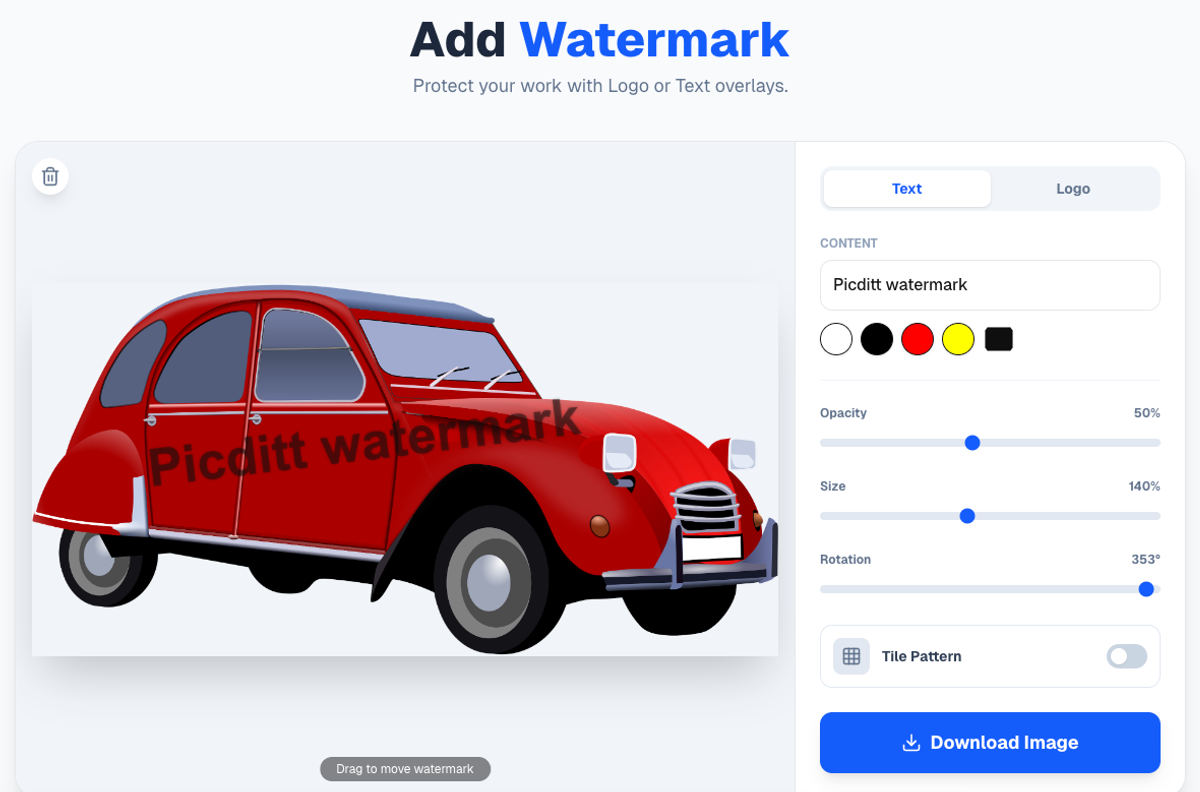
Add agent branding or tiled protection to listing photos instantly.
Workflow Tip: Batch Consistency
Even if you watermark one photo at a time, you can work fast.
- Set your logo size and position on the first photo.
- Download it.
- Replace the base image with the next room photo.
The logo stays in the same spot. This keeps your branding uniform across all interior shots.
Privacy: Unreleased Listings Stay Safe
Listing photos can be sensitive before the property goes live.
PicDitt runs in your browser. The watermarking is processed client-side. Your unreleased inventory is never uploaded to a remote cloud server.
Conclusion
Rental scams damage trust. The easiest prevention step is simple: put your identity on your images.
Use PicDitt Watermark to add your logo and agent info in minutes. It costs nothing and protects the work that helps you earn your commission.