Instagram Embed Not Working? 5 Easy Fixes (Then Upgrade Your Feed)
Advertisement
Introduction
You pasted your Instagram link into WordPress or Wix, hit publish, and expected a clean post. Instead you got… a gray box.
If you’re searching for an “Instagram embed fixer,” you’re not alone. Instagram embeds are fragile because they depend on privacy rules and scripts your website doesn’t control.
This guide does two things:
- Fixes the technical problem: Getting the embed to show up.
- Fixes the aesthetic problem: Making sure what you embed looks amazing (using a Grid Layout).
The Fixes: 5 Practical Ways to Get Embeds Working
Fix 1: Confirm the account isn’t private
Instagram embeds are for public content. If the account is private, your website can’t fetch the post.
Test: Open the link in Incognito mode. If you can’t see it, neither can your website.
Fix 2: Disable Ad Blockers
Ad blockers often block Instagram’s tracking scripts, which breaks the embed. Test your site with blockers off.
Fix 3: Clear Cache
Your browser or website cache might be serving an old, broken version of the embed. Clear your cache and reload.
Fix 4: Use the Proper Embed Block
Don't just paste the URL. Use the specific "Instagram Embed" block in WordPress/Wix, or get the official HTML code from Instagram (click the "..." on a post > Embed).
The Pivot: Does Your Feed Look Good?
Let’s say you fix the embed. Great. But now... does it look good?
A messy feed embedded on a homepage looks unprofessional. It looks like random screenshots.
The Solution: The Grid Layout.
A grid layout turns your profile into a cohesive design that looks intentional when embedded. It’s the difference between “social feed” and “brand wall.”
How to Build a Grid Layout with PicDitt
PicDitt Instagram Grid Maker helps you create the classic “giant square” effect: one image split into multiple posts.
Step 1: Upload your image
Choose one high-quality image (brand banner, hero photo).
Step 2: Choose Grid Size
Select 3x3 (9 posts) for the classic look, or 3x1 for a panoramic strip.
Step 3: Split and Post
Download the pieces (PicDitt zips them for you).
Crucial Tip: Post them in Reverse Order (Bottom-Right to Top-Left) so they assemble correctly on your profile.
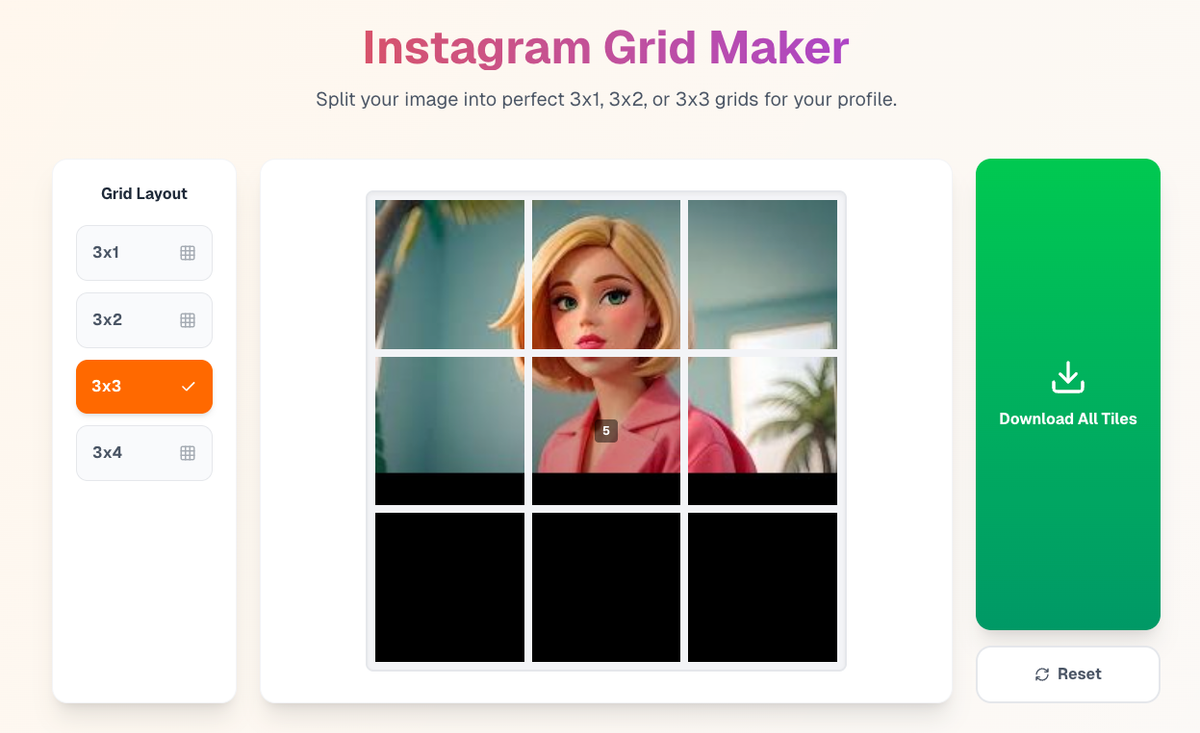
Split one image into a perfect grid instantly.
Why Grids Look Better Embedded
Embedding Instagram on a website is saying: “This is part of our brand.”
A grid layout supports that message because it creates visual cohesion. When your site shows a clean, cohesive grid, it feels like an art gallery.
Conclusion
Fixing the embed is just step one. Making the content worth embedding is step two.
Get the tech working, then use PicDitt Grid Maker to make your feed look professional.